How to Monitor Linkedin Comments and Likes for Sales Signals (Not Only Posts)
A prospect posting once a month is easy to miss. The same person commenting on a competitor thread, or liking a category post that matches your ICP, often shows intent sooner. Native Linkedin Follow mainly surfaces posts, filters hard, and is not anonymous. Many activity monitors stop at posts too.
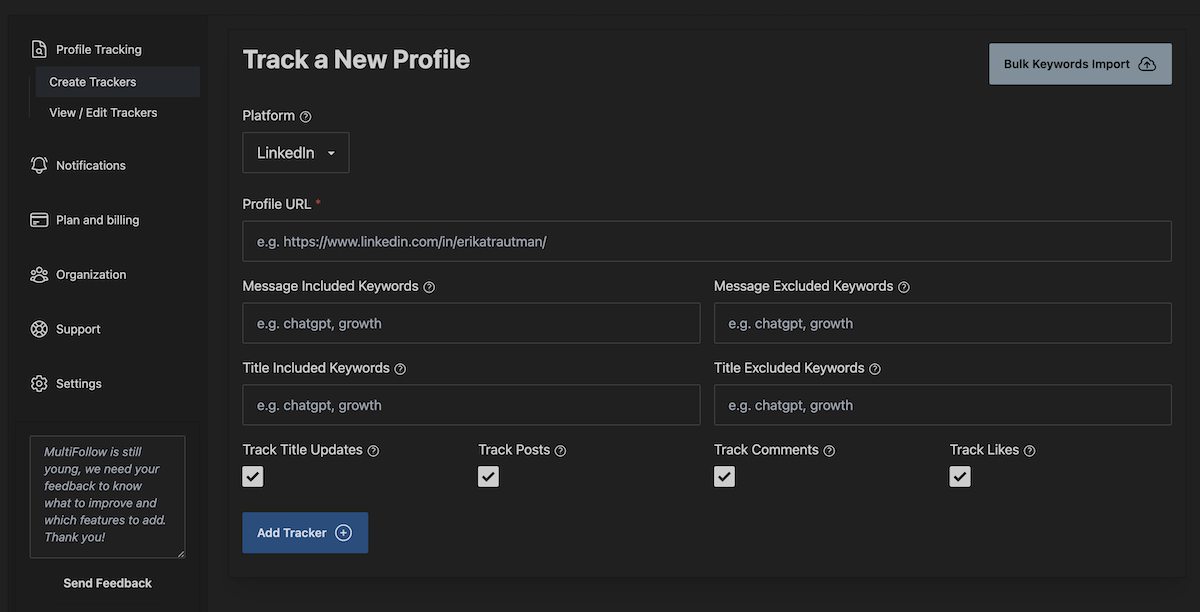
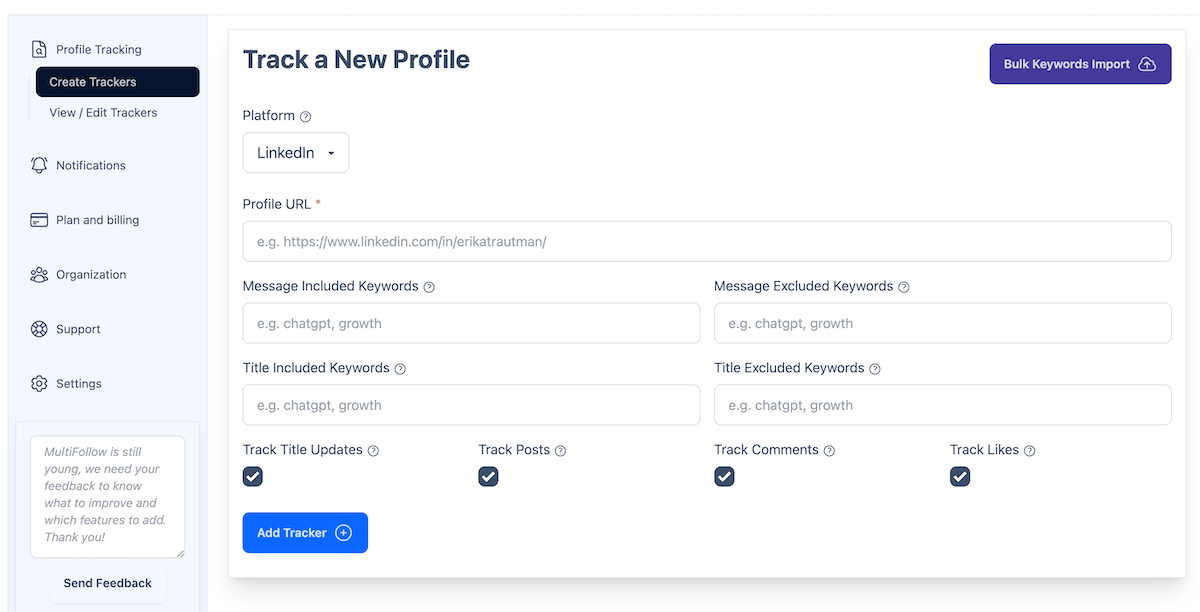
We build MultiFollow, so here is the honest shape. MultiFollow is an anonymous Linkedin and X (Twitter) account activity watchlist. You paste person (and company) URLs, choose posts, comments, and (on Linkedin people) likes, and we fire when those accounts move. This how-to is the comments-and-likes path for sales signals. Company pages stay posts-only. That limit is real, and we treat it as a product fact, not a slogan.
Get alerted when a named prospect or champion engages in public Linkedin activity that is not a full post: a comment on a competitor or buyer thread, or a like on content that shows category interest, so you can reach out while the context is still fresh.
What MultiFollow tracks per account type
Tracker type
URL format
Posts
Comments
Likes
Linkedin person
https://www.linkedin.com/in/{username}/
Yes
Yes
Yes
Linkedin company page
https://www.linkedin.com/company/{name}/
Yes
No
No
Linkedin showcase page
https://www.linkedin.com/showcase/{name}/
Yes
No
No
X (Twitter)
https://x.com/{username}
Yes (posts + replies)
Replies yes
No (private since 2024)
Honest limits before you enable every checkbox:
Comments and likes for sales signals mean Linkedin person trackers. Company and showcase pages do not expose comments or likes through MultiFollow.
Keyword include/exclude filters apply to posts and comments text only. Likes have no text, so keywords cannot filter them.
MultiFollow does not track job changes. If that is the job, use a different tool.
Monitoring is anonymous. We do not follow or connect on your behalf. They are not notified.
Refresh is per second. Notifications usually land within a couple of seconds, up to about a minute under congestion.
This is a named-account watchlist, not open keyword listening across the web. For that sibling job, use KWatch.io.
1. Save one Linkedin person tracker with posts + comments, likes off, and a tight include list.
2. Wait for a real matching comment (or loosen one keyword after a quiet day).
3. Confirm the alert shows a comment, not only posts.
4. Optionally enable likes on that one VIP tracker and watch volume for a week before rolling likes out.
Common mistakes
1. Enabling likes on everyone day one. Likes cannot be keyword-filtered. Start comments-first.
2. Expecting comments or likes on company pages. Company and showcase trackers are posts only. Track people for engagement.
3. Expecting keyword filters to quiet likes. They cannot. Turn likes off instead.
4. Expecting job-change alerts. MultiFollow tracks posts, comments, and Linkedin person likes (plus X posts/replies). Not title changes.
5. Mixing company narrative and person engagement in one Slack channel. Split delivery (or per-tracker webhooks on Business+) so launch posts do not bury a prospect comment.
A practical people stack (example)
For one open opportunity:
Person
Activities
Include keywords
Delivery
Champion (Linkedin person)
Posts + comments (likes on)
budget, RFP, evaluating, your category stem
Slack #signals-outbound or email while piloting
Economic buyer
Posts + comments (likes off)
pricing, vendor, migration
Same channel
Competitor exec (context)
Posts + comments (likes off)
your product category, launch, pricing
#battles or a separate Clay table
Act from Slack, Clay, or email. MultiFollow is the trigger, not the send button. Reply on the thread, then InMail or email from whatever you already use.
Plans that unlock this how-to
Person trackers with comments (and likes) work wherever you can create Linkedin trackers, including Free (1 Linkedin + 2 X, best-effort email). Near real-time email starts on Essential. Slack, API webhooks, REST API, MCP, bulk CSV, and team features need Business or above. Verify live on multifollow.io before you buy. Plans are prorated.
Plan
Price
Linkedin + X trackers
Slack / API webhooks
Free
$0
1 + 2
No (email, best-effort)
Essential
$19/mo
5 + 10
No (near real-time email)
Business
$79/mo
25 + 50
Yes (+ REST API, MCP, bulk CSV, team)
Enterprise
$199/mo
100 + 200
Yes (+ advanced support)
Agency
Custom
Multi-client
Yes
Frequently asked questions
Do you track Linkedin comments and likes on company pages?
No. Company and showcase pages: posts only. For comments and likes, track Linkedin person URLs.
Can keyword filters apply to likes?
No. Likes have no text. Keywords only filter posts and comments. Disable likes on noisy trackers.
Will prospects know I am watching their comments and likes?
No. MultiFollow does not follow or connect on your behalf. Monitoring is anonymous.
Do you track likes on X?
No. X likes have been private since 2024. On X we track posts and replies.
Is this the same as open keyword listening across Linkedin?
No. MultiFollow watches named accounts you add. If you need keyword listening across Linkedin, X, Facebook, Reddit, Youtube, and Hacker News, that is our sibling KWatch.io.
Which plan do I need for Slack when a prospect comments?
Email works on Free and Essential. Slack and API webhooks need Business or above.
Do you track job changes?
No. MultiFollow is Linkedin/X activity (posts, comments, Linkedin person likes, X posts/replies), not employment-change detection.
Get started
Create a free account, paste one prospect person URL, enable posts + comments with likes off, and prove you get a real comment alert before you widen the list. When the team needs the same signal in Slack or Clay, move to Business and paste the webhook.
 MultiFollow.io