Hledáte alternativu k Champify? Změny pracovních pozic vs. signály aktivity
Champify i MultiFollow se zobrazují při vyhledávání prodejních signálů na Linkedin. Neplní však stejnou roli.
Champify je platforma pro vztahy a změny práce nativně integrovaná v Salesforce: sleduje kontakty, které již máte v CRM (zákazníky, uživatele produktů, ztracené příležitosti), detekuje, kdy změní firmu, a směruje vřelé znovuoslovení přímo v Salesforce, včetně upozornění na Slacku a e-mailu, doporučení od kolegů a podkladů pro péči o kontakty Insider AI u vyšších tarifů. MultiFollow je jmenný watchlist: vložíte URL adresy profilů na Linkedin a X (Twitteru), které vás již zajímají, a získáváte anonymní upozornění v téměř reálném čase, jakmile tyto účty publikují příspěvek, okomentují nebo (u osob na Linkedin) dají lajk, doručovaná e-mailem, na Slack nebo přes API webhooky do Clay, n8n, Zapier či vašeho CRM.
MultiFollow vyvíjíme my, takže je fér to říci hned na začátku. Tento článek nemá za cíl vyzývat k okamžitému opuštění Champify. Pokud je vaší obchodní taktikou pipeline ze změn zaměstnání šampionů na základě historie v Salesforce, je pro to určen Champify (nebo platforma kategorie UserGems). Pokud už ale máte užší seznam a potřebujete infrastrukturu, která pošle zprávu do kanálu #signals-outbound ve vteřině, kdy Elena okomentuje příspěvek konkurenta, MultiFollow je přesně tou správnou vrstvou. Překrývají se v premise, že „Linkedin má souvislost s nákupním načasováním“. Vše ostatní je odlišný produkt.
Skutečný úkol, pro který si nástroj pořizujete
Většina týmů na toto srovnání narazí po jednom ze dvou typických úterků.
Úterý A (vztahy / změna zaměstnání). Elenin předchozí úspěšně uzavřený zákazník (champion) z Northline minulý měsíc odešel. Nikdo si toho nevšiml, dokud nová společnost Eleny neposlala poptávku (RFP) konkurentovi. Tým chce nativní detekci v Salesforce, kdykoli dřívější nákupčí a uživatelé produktu změní zaměstnavatele, a následně úkoly i playbooky přímo tam, kde obchodníci denně pracují. To je hlavní prodejní argument Champify a stále nejjasnější důvod, proč většina nákupčích otevírá záložku s Champify.
Úterý B (aktivita / priorita rychlé odpovědi). Maya už ví, že Elena je viceprezidentkou na zakázce pro Northline v tomto čtvrtletí. Problém nespočívá v tom, že by Elena změnila práci. Problém je, že Elenin komentář na Linkedin ve 14:04 („Zvažujeme výměnu našeho WMS před 4. čtvrtletím“) nikdy neopustil rozhraní Linkedin v době, kdy ve vlákně ještě nebyli žádní konkurenti. To je úkolem MultiFollow: vybavit sledováním seznam, který jste si již vybrali.
Pokud tyto dva úterky zaměníte, pořídíte si nevhodný typ nástroje. Balíček pro sledování změn práce v CRM vám neposkytne webhook s reakcí v řádu sekund na komentáře konkrétní osoby. Watchlist zase nebude v Salesforce skenovat změny zaměstnání.
Rychlý slovníček pojmů (60 sekund)
Champify (champify.io) se profiluje jako first-party revenue intelligence: přeměňuje stávající vztahy (bývalé zákazníky, uživatele produktů, kontakty ze ztracených obchodů) ve vřelou pipeline, když lidé přejdou jinam nebo když jsou ztracené zakázky připraveny k obnovení. Podle jejich veřejného webu (září 2026) je platforma nativním balíčkem pro Salesforce: upozornění, obohacené záznamy, reporting a souhrny Insider AI se zobrazují přímo v Salesforce namísto samostatného přihlašování. Funkce Relationship Tracking monitoruje kontakty na změny společností; Insider AI syntetizuje historii z CRM, přepisy a signály do doporučení pro opětovné oslovení. Na vyšších úrovních nabízejí také doplňování kontaktů z kalendáře, sledování nově najatých vedoucích pracovníků a čištění dat v CRM (CRM clean).
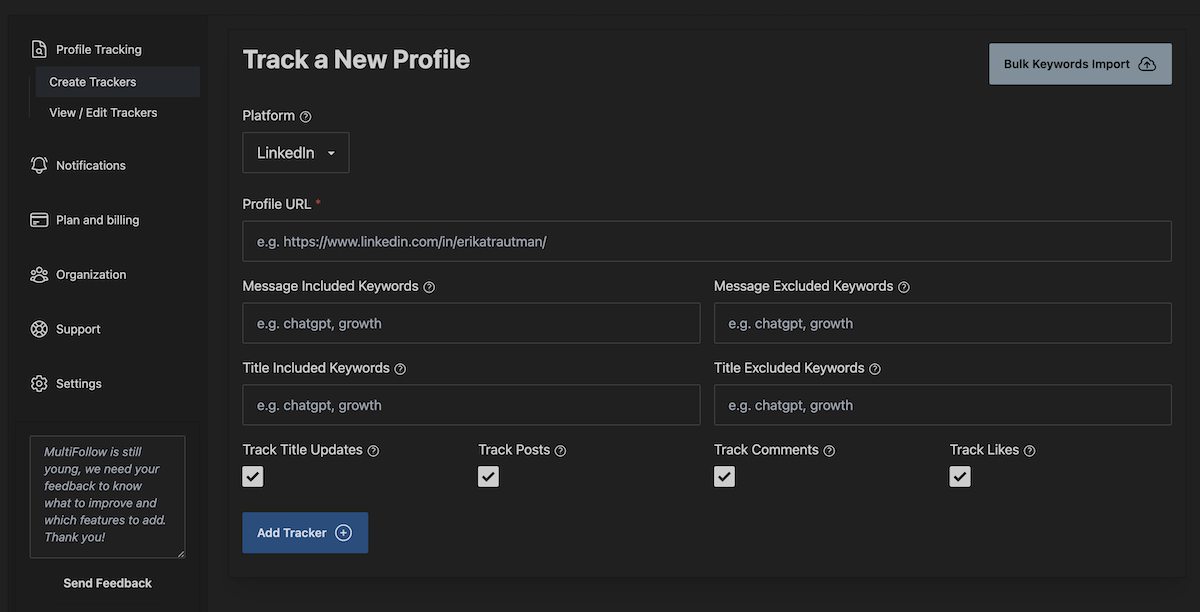
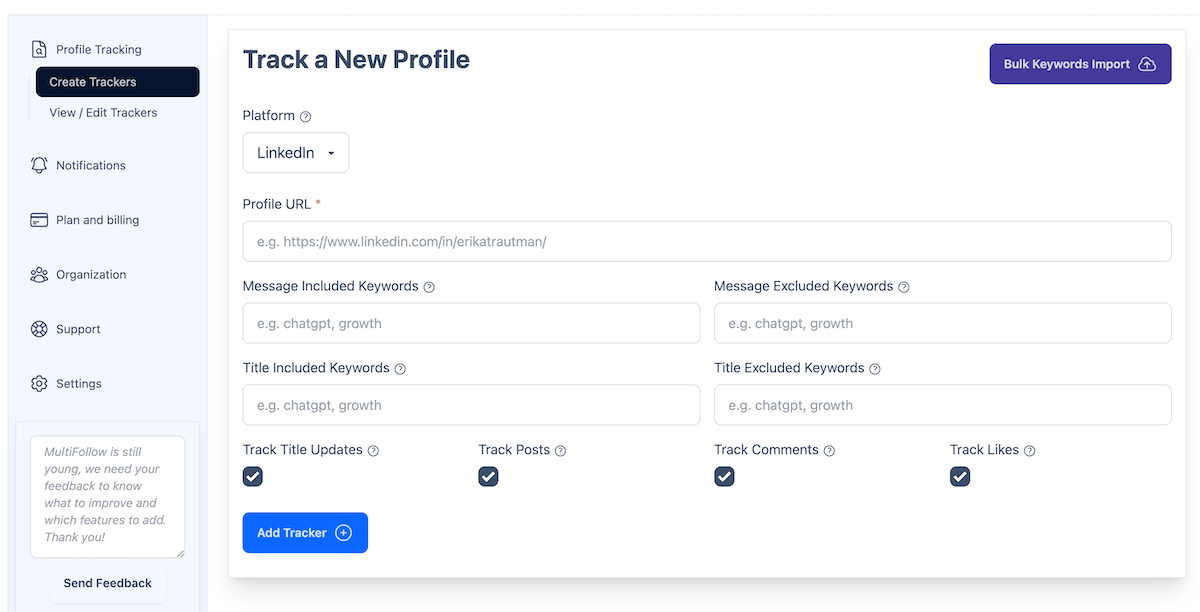
MultiFollow představuje anonymní sledování aktivity účtů na LinkedIn a X v reálném čase jako obchodních signálů. Vložíte URL adresy profilů (nebo importujete CSV od tarifu Business+). Sledování neuděluje sledování ani neposílá žádosti o spojení; sledovaní uživatelé nejsou nikdy informováni.
Nákupní signál (sales signal) zde znamená veřejnou událost naznačující, že daná osoba může být připravena ke komunikaci. Změna zaměstnání je jedním typem. Komentář ve vlákně o cenách konkurenta dalším. MultiFollow sleduje, co vybrané účty říkají a jak reagují na Linkedin a X. MultiFollow však ne sleduje změny zaměstnání, počty sledujících ani kola financování jako primární události.
Jmenný watchlist vs. graf vztahů v CRM. Watchlist začíná s URL adresami, které jste si sami vybrali. Champify začíná s kontakty, které již máte v Salesforce (a rozšiřuje se z tohoto grafu vlastních dat). Champify staví na první místo graf vztahů v CRM. MultiFollow je výhradně watchlist.
Webhook. URL adresa, která přijme POST požadavek při výskytu události. V tarifu MultiFollow Business+ může každý sledovaný profil odesílat JSON data (platforma, URL profilu, časové razítko, odkaz, text příspěvku/komentáře, typ aktivity) do Slacku, Clay, n8n, Zapieru, Make nebo CRM. E-mail funguje ve všech tarifech.
V čem je Champify silný
Když pomineme marketingové slogany, Champify tvoří v zásadě čtyři pilíře podle jejich úvodní stránky a ceníku:
Detekce změn zaměstnání championů / zákazníků v měřítku celého CRM. Nepřetržité sledování bývalých zákazníků, uživatelů produktů a poprodejních vztahů. Jakmile přejdou do jiné společnosti, aktualizuje Salesforce a přiřadí správného obchodníka s potřebným kontextem. Jejich marketing vyzdvihuje vysokou konverzi při oslovování dřívějších zákazníků oproti studenému oslovování (historický důvod ke koupi).
Nativní pracovní postup v Salesforce. Instalace prostřednictvím balíčku ve stylu AppExchange; neomezený počet uživatelů Salesforce v tarifu Core. K dispozici jsou upozornění na Slacku i e-mailu, ale produkt je navržen tak, aby obchodníci pro hlavní činnost nepotřebovali další přihlašovací údaje.
Kontext vztahů nad rámec samotného přechodu. Doporučení od kolegů / vřelá představení z dat ze schůzek a kalendářů; přiřazování rolí kontaktů u obchodních příležitostí; RevOps orchestrace (mapování polí, párování, směrování, deduplikace).
Insider AI a opětovné oslovení (Pro+). Poznatky pro rozvoj účtů (account-based nurture), které syntetizují přepisy hovorů, e-maily a historii v CRM, zaměřené na ztracené obchody a práci se vztahy, nikoli na přenos každého komentáře na Linkedin, který daný viceprezident zanechá u příspěvku konkurenta.
Ceník (ověřte na champify.io/pricing): k září 2026 jejich publikované cenové úrovně začínají na Core 2 000 $/měsíc (Relationship Tracking pro 15k+ kontaktů, balíček pro Salesforce, standardní onboarding, dedikovaný CSM), Pro 3 000 $/měsíc (40k+ kontaktů, Calendar Sync pro 50+ uživatelů, Insider AI pro 2k+ účtů, vlastní playbooky), Enterprise 6 000 $/měsíc (150k+ kontaktů, Insider AI pro 5k+, CRM Clean pro 200k+, správa a řízení). Doplňky umožňují další navyšování objemu kontaktů a účtů. Přístup pouze přes demo; žádná samoobsluha. Uvádějí, že ne mají nativní integraci s HubSpot CRM (synchronizace Salesforce → HubSpot je jimi doporučovaný postup, pokud používáte obojí). Starší přehledy třetích stran někdy uvádějí nižší startovací částky; za směrodatnou považujte živou stránku s ceníkem.
Zvolte Champify, pokud je vaší hlavní brzdou otázka „kdo v naší síti vztahů v Salesforce se právě stal vřelou příležitostí“, a nikoli „pošli zprávu na Slack ve vteřině, kdy tento známý viceprezident přidá komentář“.
Co MultiFollow je (a co není)
MultiFollow dělá spolehlivě jednu nenápadnou práci: anonymně sleduje vámi určené účty a přeposílá jejich aktivitu mimo rozhraní Linkedin / X.
Co sledujeme
Cíl
Aktivita
Osobní profil na LinkedIn
Příspěvky, komentáře, „to se mi líbí“
Firemní nebo showcase stránka na LinkedIn
Pouze příspěvky (nikoli komentáře či reakce firmy)
Účet na X (Twitteru) pro osobu či firmu
Příspěvky + odpovědi. Bez „to se mi líbí“ (neveřejné od 2024)
Co nesledujeme: změny zaměstnání, počty sledujících, scraping zapojeného publika (kdo lajkoval náhodný virální příspěvek), Facebook / Instagram / TikTok / YouTube, integrované obohacování dat či bodování nákupního záměru, nativní aplikace pro HubSpot / Salesforce, InMail, booleovské vyhledávání lidí ani TeamLink. Nevyhledáváme nové kontakty na základě popisu ICP. Nepřipravujeme ani neodesíláme zprávy. Neskenujeme vaše CRM na změny zaměstnání.
Filtry: až 10 zahrnutých a 10 vyloučených klíčových slov na sledovaný profil (každé 2–200 znaků). Klíčová slova platí pro příspěvky a komentáře, nikoli pro „to se mi líbí“ (reakce nemají text).
Doručovací kanály: e-mail ve všech tarifech. Slack a API webhooky od tarifu Business výše, včetně dedikovaných URL pro Slack/webhook na profil, aby kontakty a konkurence nekončily ve stejné tabulce v Clay.
Rychlost aktualizace: placené tarify fungují téměř v reálném čase (obvykle vteřiny po detekci, při vytížení nanejvýš cca minutu). Tarif Free funguje v režimu nejlepšího úsilí (best-effort).
Tarify (multifollow.io, září 2026; poměrné účtování)
Tarif
Cena
Sledované profily LinkedIn + X
Možnosti doručení
Free
$0
1 + 2
E-mail; best-effort
Essential
$19/mo
5 + 10
Téměř v reálném čase; pouze e-mail
Business
$79/mo
25 + 50
Slack, API webhooky, REST API, MCP, hromadné CSV, týmový přístup
Pipeline ze změn práce championů / zákazníků + nativní znovuoslovení v Salesforce
Aktivita ze jmenného watchlistu doručená jako infrastruktura
Způsob sestavení seznamu
Kontakty v Salesforce (zákazníci, uživatelé, ztracené obchody) + graf vztahů
Vkládáte URL z LinkedIn + X; hromadný import CSV od tarifu Business+
Hlavní signál
Změny práce / firmy u kontaktů v CRM; rozvoj vztahů pomocí Insider AI u Pro+
Příspěvky, komentáře a lajky na Linkedin / X (s limity platforem níže)
Platformy (sociální aktivita)
Nejde o veřejný proud aktivity z Linkedin + X; funguje v Salesforce + upozornění
LinkedIn + X (Twitter)
Vyhledávání kontaktů
Rozšiřování vztahů na základě vlastní historie v CRM
No
Bodování nákupního záměru / AI přehledy
Insider AI (Pro+) z CRM + přepisů
Ne; zkombinujte s Clay / vlastní logikou
Nativní aplikace pro Salesforce
Ano (hlavní zaměření produktu)
Bez nativních aplikací; JSON webhooky
Nativní HubSpot
Ne (podle jejich FAQ k ceníku)
Bez nativních aplikací; webhooky do HubSpotu přes Clay/n8n/Zapier
Anonymní jmenný seznam sledovaných
Není účelem tohoto produktu
Ano (bez sledování/spojení; nikdy se to nedozví)
Filtrování klíčových slov u aktivit (zahrnout/vyloučit)
Odlišný model (CRM orchestrace / playbooky)
Až 10 zahrnutých + 10 vyloučených slov na profil
Doručení
Salesforce + upozornění do Slacku a e-mailu
E-mail všude; Slack + API webhooky od Business+; dedikované URL na profil
Model zpoplatnění
Objem pro enterprise CRM: Core cca 2k $ / Pro cca 3k $ / Enterprise cca 6k $ měsíčně dle ceníku
Pevné limity profilů: Zdarma → $19 → $79 → $199
Zkušební verze zdarma / bezplatný tarif
Přístup pouze přes demo; garance návratnosti investice (ROI) na jejich webu
Navždy bezplatný tarif (1 LinkedIn + 2 X), bez karty
Funkce a ceny konkurenta dle zveřejnění na webu Champify v září 2026; před nákupem vždy zkontrolujte aktuální stav.
Tyto produkty se překrývají v bodě „někdo, koho už známe, se právě stal vhodným pro konverzaci“. Vůbec se však nepřekrývají v detekci změn práce v měřítku celého CRM, balíčkovém řešení pro Salesforce, přímém proudu odpovědí na síti X ani v anonymních webhoocích z watchlistu reagujících v řádu sekund.
Čtyři praktické situace v úterý odpoledne
Jména jsou smyšlená, ale časový průběh přesně vystihuje realitu všedního dne.
1. Elena mění zaměstnání. To je úterý stvořené pro Champify
Elena Voss odešla z Northline Logistics do společnosti Harborline Retail na pozici VP of Operations. V Salesforce u Mayi je evidována jako dřívější klíčová šampionka z vyhraného obchodu.
V Champify: Elenin přechod je přesně tímto případem: detekovat změnu společnosti pomocí Relationship Tracking, aktualizovat Salesforce, upozornit příslušného obchodníka a případně nabídnout kontext z Insider AI, aby oslovení nebylo studené. Funkce doporučení od kolegů dokáže navrhnout, kdo ji už zná.
V MultiFollow: v samotné situaci změny práce nepomůže. My údaje o zaměstnání vůbec nečteme. Pokud někdo předem nevložil URL Elenina profilu kvůli sledování aktivity, MultiFollow si tento přechod sám nevymyslí. Nepořizujte si MultiFollow v očekávání, že nahradí Champify nebo UserGems.
2. Elena okomentuje konkurenta ve 14:04. Elenu už přitom znáte
Elena již figuruje na Mayině seznamu vybraných kontaktů pro 3. čtvrtletí. Ve 14:04 okomentuje příspěvek firmy Dockwise o cenách:
„Koukáme na výměnu WMS před Q4. Receiving modul je deal-breaker. Je někdo opravdu spokojený s tím svým po go-live?“
Pokud tým používá výhradně Champify: Elena už může být vřelým kontaktem z předchozí změny práce nebo kampaně na ztracené obchody. Co však pravděpodobně nezískáte (pokud jste si nevytvořili kanál ve stylu watchlistu jinde), je sdílené upozornění ve Slacku ve 14:04 s textem komentáře, zatímco vlákno je ještě bez dalších dodavatelů. Síla Champify spočívá v pohybech vztahů uvnitř Salesforce; není propagován jako anonymní webhooky pro aktivitu jednotlivých profilů jako MultiFollow.
Pokud tým Mayi používá MultiFollow Business: URL osobního profilu Eleny na Linkedin slouží jako tracker (příspěvky, komentáře, lajky). Ve 14:04 se v kanálu #signals-outbound zobrazí text komentáře i s odkazem. Maya odpoví přímo ve vlákně ve 14:11 a poté pošle krátký InMail citující Eleninu vlastní větu. MultiFollow za ni InMail nenapsal. Pouze zajistil, že se o jejím vyjádření dozvěděla včas.
3. Dockwise zveřejní v tentýž den ceník, analýzu trhu a několik pracovních nabídek
Firemní stránka konkurenta publikuje v 09:10, 13:40 a 17:55.
V MultiFollow tracker firemní stránky pokrývá pouze příspěvky. Každý příspěvek může stále vyvolat vlastní e-mail/Slack/webhook. Zahrňte klíčová slova jako pricing, receiving, hiring a vyfiltrujte zbytečný propagační obsah o firemní kultuře.
Champify může pomoci, pokud kontakty ze společnosti Dockwise existují v Salesforce jako cíle pro kampaně při nástupu nových manažerů nebo práci se vztahy: to je jiný výstup (úkoly a přehledy v CRM) než surový přísun příspěvků do kanálu #battles-dockwise.
4. Elena odpovídá na X ve 21:41
„Upřímně se topíme v Excelu při správě návěsů na dvoře. Pokud váš dodavatel WMS tvrdí, že to zvládne, požádejte ho o ukázku sobotní ranní směny, ne nachystané demo.“
MultiFollow sleduje příspěvky a odpovědi na síti X (nikoli lajky). Přidejte Eleninu URL na X spolu s klíčovými slovy pro zahrnutí WMS, yard, Excel, replacing. Odpověď se může objevit ve Slacku ve 21:41.
Champify není náhradou za tento přímý proud odpovědí na síti X. Pokud pozdní reakce konkrétních osob na síti X tvoří součást vaší obchodní taktiky, potřebujete nástroj typu watchlist (nebo se smířit s tím, že vám uniknou).
Kdy zvolit Champify, MultiFollow, UserGems nebo obojí
Zvolte Champify, když:
Sledování změn práce championů / zákazníků vůči Salesforce je hlavní taktikou pro generování pipeline.
Požadujete nativní balíček pro Salesforce, neomezený počet licencí v tarifu Core, RevOps orchestraci a reporting přímo v CRM.
Podklady pro rozvoj vztahů od Insider AI u ztracených obchodů a práce se vztahy mají pro vás větší váhu než obecný JSON webhook.
Enterprise rozpočet (zveřejněné minimum pro tarif Core od cca 2 000 $/měsíc) a technologický stack postavený kolem Salesforce jsou pro vás přijatelné.
Nevadí vám absence nativního balíčku pro HubSpot (dle vlastního FAQ Champify).
Zvolte MultiFollow, když:
Konkrétní jména už znáte (ze Sales Navigatoru, Clay, svého CRM nebo partnerského seznamu).
Komentáře a lajky u osob na Linkedin i odpovědi na síti X musí opustit rozhraní sítí v podobě e-mailu/Slacku/webhooků.
Anonymita je zásadní: žádné sledování, žádné žádosti o spojení, žádné riziko, že cíl uvidí sledování z firemního profilu.
Chcete předvídatelné paušální ceny za trackery (Free / 19 $ / 79 $ / 199 $) namísto podnikových smluv odvozených od objemu CRM.
Data obohacujete a texty tvoříte v prostředí Clay / n8n / Zapier a samotnou sociální událost potřebujete v čistém formátu JSON.
Používáte HubSpot (nebo cokoli, co není nativní pro Salesforce) a přesto potřebujete webhooky pro aktivitu.
Zvolte UserGems místo (nebo vedle) Champify, když:
Potřebujete širší multi-CRM / multi-signálové GTM řídicí centrum (30+ typů signálů, Gem-E orchestrace, HubSpot + Salesforce) namísto specialisty na šampiony zaměřeného na Salesforce. Tento koncept jsme již dříve porovnávali:
Alternativa k UserGems.
Zvolte kombinaci Champify i MultiFollow, když:
Champify řídí orchestraci vztahů, změn práce a ztracených obchodů v Salesforce; MultiFollow zajišťuje sledování užšího seznamu kontaktů, na kterých se tento měsíc reálně pracuje.
Změna zaměstnání vytvoří lead; upozornění na aktivitu udržují konverzaci vřelou mezi jednotlivými kroky v sekvenci.
Clay nebo vaše CRM stojí uprostřed: Champify zapisuje události o vztazích; webhooky z MultiFollow zaznamenávají události typu „právě napsali toto“.
Nevolte ani jeden (samostatně), když:
AI vyhledávání kontaktů + obodované koncepty podle popisu ICP je váš cíl → nástroje třídy Getcleed / Cleed (
naše srovnání s Getcleed).
Scraping zapojeného publika napříč mnoha platformami je vaší taktikou → nástroje kategorie Trigify (
naše srovnání alternativ k Trigify).
Sledování klíčových slov na Redditu, Hacker News a dalších sociálních sítích (nikoli jmenný watchlist na Linkedin/X) je vaší taktikou → to je zcela jiný formát produktu (
KWatch.io
je náš sesterský nástroj pro monitoring klíčových slov; MultiFollow jej nenahrazuje).
Propojené řešení, které bychom sami nasadili v praxi
Fiktivní tým: Maya (AE), Tom (SDR), Priya (RevOps). Skladový software. Salesforce slouží jako centrální databáze (system of record).
Krok 1. Nechte správu grafu vztahů na Champify (nebo UserGems)
Nainstalujte Champify do Salesforce. Nechte modul Relationship Tracking vytvářet a aktualizovat leady, jakmile dřívější šampioni a uživatelé produktu změní zaměstnavatele. Ponechte Insider AI či vaše sekvence v SEP tamtéž. MultiFollow tuto vrstvu nenahradí.
Krok 2: Do MultiFollow převeďte pouze ty osoby, se kterými aktivně pracujete
Nevkládejte do MultiFollow 15 000 kontaktů ze CRM. Vložte pouze 25 lidí, se kterými budou Tom a Maya tento měsíc skutečně pracovat: URL osobních profilů na Linkedin, k tomu URL na X, pokud je tam daný kontakt aktivní, a firemní stránky Dockwise / Northline, pokud jsou pro vás příspěvky konkurentů a účtů podstatné.
Zdarma: otestujte funkčnost na profilu Eleny a jejím účtu na X (1 LinkedIn + 2 X).
Essential ($19): malý seznam sledovaných s upozorněními výhradně na e-mail (5 LinkedIn + 10 X).
Business (79 $): Slack, webhooky, CSV, tým, API, MCP: 25 na Linkedin + 50 na X. Seznam 40 osob na Linkedin už vyžaduje rozdělení na další účet, plán Enterprise (100 na Linkedin) nebo agenturní tarif. Počítejte s těmito limity otevřeně.
Krok 3: Aktivujte vhodné typy aktivit
Kontakty (osoby na LinkedIn): příspěvky, komentáře, „to se mi líbí“. V případě nadměrného počtu upozornění nejprve vypněte reakce.
Firemní či showcase stránky: výhradně příspěvky.
X: výhradně příspěvky a odpovědi.
Krok 4: Filtry klíčových slov pro přehlednost na Slacku
U trackerů pro Elenu zadejte zahrnutá slova: WMS, warehouse, receiving, yard, labor, RFP, looking for, replace, pricing. Vyloučená: webinar, podcast, congrats, happy to announce.
Klíčová slova nefiltrují reakce „to se mi líbí“. Počítejte s tím při plánování.
Krok 5: Spolehlivé doručování na úrovni infrastruktury
E-mail: součástí každého tarifu (dostačující pro individuální testování).
Slack od tarifu Business výše: #signals-outbound pro osoby; #battles-dockwise přes vlastní Slack URL pro daný tracker na stránku konkurenta. (Máme k tomu také podrobného průvodce:
Zobrazení něčí aktivity na sociálních sítích ve Slacku.)
API webhook od tarifu Business výše: Tabulka v Clay pro vyhlédnuté kontakty, samostatná tabulka nebo větev v n8n pro konkurenty. Před ostrým úterkem nejprve pošlete testovací payload. Viz také
API webhooky
a
šablony pro Clay.
Placené tarify aktualizují data téměř v reálném čase. Netestujte strategii okamžité reakce na bezplatné verzi, abyste pak nedospěli k chybnému závěru, že „signály chodí pozdě“.
Krok 6: Reagujte se správným nástrojem
Záznam ve Slacku nebo Clay ještě není samotné oslovení. Maya stále veřejně komentuje, posílá InMail ze Sales Navigatoru nebo e-mail ze sekvenceru, a pokud Champify zařadil kampaň při změně práce, spustí ji nezávisle na upozornění na komentář. MultiFollow nikdy nenahrazuje tlačítko odeslat. Agenti mohou watchlist v MultiFollow spravovat přes
MCP
na tarifu Business+; MCP samotné signály nestreamuje.
Co v tomto srovnání výslovně netvrdíme
Otevřené přiznání našich hranic má větší hodnotu než přikrášlený přehled funkcí.
MultiFollow ne sleduje změny zaměstnání. Champify ano (jeho hlavní síla).
MultiFollow ne instaluje jako balíček pro Salesforce, nepřiřazuje role kontaktů u příležitostí ani nepřipravuje souhrny pro Insider AI.
MultiFollow ne nabízí nativní aplikace pro HubSpot/Salesforce; my nabízíme webhooky v tarifu Business+.
Champify ne nahrazuje anonymní watchlist pro Linkedin + X se směrováním do Slacku/Clay pro každý tracker a fixními limity trackerů. To je náš přístup, ne jejich.
Nevyjadřujeme se k individuálně vyjednané ceně Champify. Jejich zveřejněné tarify začínají na 2 000 $/měsíc za Core; ověřte si to na jejich stránce s ceníkem.
Pokud potřebujete širší multi-signálovou GTM platformu s HubSpotem, poohlédněte se po nástrojích typu UserGems, nikoli po MultiFollow a ne nutně pouze po Champify.
Pokud je vaše taktika postavena na principu „dřívější šampioni právě změnili zaměstnání v Salesforce“, začněte s Champify (nebo UserGems). Pokud je vaší strategií „zde je 25 aktivních osob: dejte nám vědět, jakmile promluví“, to je parketa MultiFollow.
Často kladené otázky
Je MultiFollow plnohodnotnou alternativou k Champify?
Ne. Pouze pro tu úzkou oblast, kde se oba nástroje zajímají o nákupní načasování spojené s Linkedin. MultiFollow nedetekuje změny práce, nečistí kontakty v Salesforce ani neřídí opětovné zapojení šampionů uvnitř CRM. Pokud jste Champify otevřeli z těchto důvodů, jsme špatnou náhradou. Pokud jste však otevřeli Champify a uvědomili si, že potřebujete hlavně webhookový feed příspěvků a komentářů známého seznamu kontaktů, pro tuto část se hodíme lépe — a nástroj na změny práce možná budete chtít provozovat vedle nás.
Sleduje MultiFollow změny práce jako Champify?
Ne. Sledujeme, co účty dělají na Linkedin a X: příspěvky, komentáře a lajky (s výše uvedenými omezeními jednotlivých platforem). Kariérní změny jsou mimo náš rozsah.
Dozví se lidé, že je sleduji přes MultiFollow?
Ne. Nesledujeme je, neposíláme žádosti o spojení ani zprávy. Nedostanou žádné upozornění. To se zásadně liší od situace, kdy byste někoho začali sledovat na LinkedIn ze svého firemního profilu.
Mohu používat Champify a MultiFollow společně?
Ano. Běžný stack: Champify pro akce kolem změn zaměstnání / vztahů v Salesforce; MultiFollow pro upozornění v téměř reálném čase z watchlistu pro užší výběr kontaktů; Clay / n8n / Zapier pro obohacení dat a směrování. Oba nástroje mohou napájet stejnou operační vrstvu, aniž by si konkurovaly.
Funguje Champify s HubSpotem?
Podle FAQ k ceníku Champify: žádná nativní integrace s HubSpot CRM. Pokud používáte Salesforce i HubSpot, doporučují synchronizovat data z Champify do HubSpotu přes integraci Salesforce → HubSpot. MultiFollow je vůči CRM agnostický díky webhookům v tarifu Business+.
Který tarif MultiFollow potřebuji?
Free (0 $, 1 Linkedin + 2 X, best-effort, pouze e-mail) pro ověření funkčnosti. Essential (19 $, 5 + 10, téměř reálný čas, stále pouze e-mail) pro malý samostatný watchlist. Business (79 $, 25 + 50, Slack, webhooky, CSV, tým, API, MCP), když prodejní tým potřebuje sdílený přísun dat. Enterprise (199 $, 100 + 200), když je seznam sledovaných rozsáhlejší.
Může MultiFollow nahradit Insider AI nebo psát mé zprávy?
Ne. My doručujeme událost o proběhlé aktivitě. Samotnou zprávu píše váš AE, sekvencer, Champify nebo sloupec Clay/AI.
Shrnutí
Champify je na Salesforce nativně napojená platforma pro šampiony a změny práce: Relationship Tracking, CRM orchestrace, upozornění do Slacku/e-mailu, Insider AI na vyšších tarifech. MultiFollow je infrastruktura anonymního watchlistu: vložíte URL adresy a aktivitu z Linkedin + X dostáváte do e-mailu/Slacku/webhooků ještě v době, kdy je konverzace živá.
Zvolte Champify, pokud jsou vztahové změny v Salesforce vaším hlavním zdrojem obchodních příležitostí. Zvolte MultiFollow, pokud již účty znáte a potřebujete doručení s prioritou rychlé reakce. Použijte obojí, pokud jsou kampaně na změny práce i sledování sociální aktivity reálnými úkoly pro tentýž tým. Což zpravidla bývají.
Pokud přístup založený na seznamu sledovaných vyhovuje vašim záměrům, vytvořte si bezplatný účet na
dash.multifollow.io,
přidejte jeden důležitý profil na LinkedIn a počkejte na jeho další příspěvek či komentář. U bezplatné verze není potřeba karta. Jakmile dorazí první e-mail a ověříte si přínos, přejděte na Essential nebo Business a nasměrujte Slack či Clay na stejné sledované profily.
 MultiFollow.io