LinkedIn Sales Navigator isn't a sales-signal stack (what to use instead)
Sales Navigator is very good at one job: helping you find the right people on Linkedin and keep a list of them. A lot of teams then ask it to do a second job it was not built for: sit on that list, watch what those people actually say and react to, and push a usable signal into Slack, Clay, or a CRM while the conversation is still live.
We build MultiFollow, so you should know that up front. This is not a "rip out Sales Navigator" post. If you need search, InMail, TeamLink, or job-change alerts, keep Sales Navigator. The argument is narrower: Core and Advanced are not a sales-signal stack, and treating the homepage alert feed as if it were one is how Tuesday-afternoon comments turn into Wednesday-morning trivia.
The job you hired it for
Most teams buy Sales Navigator after a familiar week. An SDR spends hours on regular Linkedin search, still cannot filter tightly enough, and still cannot message people they are not connected to. Sales Navigator solves that. You get 50+ search filters, saved leads and accounts, lead recommendations, and 50 InMail credits per month per license.
Then the same team tries to use it as the system of record for "what did my buyers do today." That is a different product. Finding Elena Voss, VP of Operations at Northline Logistics, is search. Knowing that Elena just commented on your competitor's pricing post, and putting that comment in a Slack channel your AE actually reads, is signal infrastructure.
If the job you need is the second one, Sales Navigator is the wrong layer. The rest of this article explains why, in plain language, and then walks through a setup that uses both tools for what they are good at.
A 60-second glossary
These terms show up a lot. Here is what they mean before we use them.
Linkedin Sales Navigator is a paid add-on from Linkedin. It sits on top of a normal Linkedin account and is built for salespeople: better search, lists of people and companies, and a monthly allowance of InMail. It is Linkedin only. You buy it per seat. As of Linkedin's compare-plans page (updated 1 August 2026), Core is US$119.99 per month per license (US$1,079.88 per year) and Advanced is US$159.99 per month per license (US$1,799.88 per year). Advanced Plus is custom-quoted.
A sales signal is a public event that suggests someone may be ready to talk. Examples: they posted about a problem you solve, they commented on a competitor's thread, they asked for tool recommendations, their company announced a warehouse opening. A job change is also a sales signal, just a different kind. MultiFollow tracks what people say and react to on Linkedin and X (Twitter). It does not track job changes.
Saved leads (and saved accounts) are people (and companies) you bookmark inside Sales Navigator. Linkedin only generates most of its alerts for people and companies you have saved. If Elena is not a saved lead, you should not expect Sales Navigator to tell you what she did.
InMail is Linkedin's paid private message. You can send it to people you are not connected with. Every Sales Navigator plan includes 50 InMail credits per month per license. MultiFollow has no InMail. When a signal is worth a message, you still send it from Linkedin, Sales Navigator, or email.
Following on Linkedin is the native "subscribe to this person" button. Two things matter. First, following is visible: the person can see you in their followers, and they can remove you, at which point you stop getting notified. Second, Linkedin is a poor notification system even when you do follow. It mainly tells you about posts, not about comments or likes, and it filters what you see. That is why "just follow your prospects" is not a monitoring strategy, and why an anonymous watchlist is a different product.
A webhook is a URL that another tool can POST data to when something happens. You do not log in and copy-paste. MultiFollow can send a small JSON payload (platform, profile URL, timestamp, link, the text of the post or comment, activity type) to Slack, Clay, n8n, Zapier, Make, or a CRM the moment it detects activity. Email is always on. Slack and API webhooks start on our Business plan.
TeamLink is a Sales Navigator Advanced and Advanced Plus feature. It shows whether someone at your company is already connected to a prospect, so you can ask for a warm intro. MultiFollow does not do this.
What Sales Navigator actually is (and is good at)
Strip the marketing and Sales Navigator is four things:
Search. 50+ filters, including Boolean people search. This is still the best native way to build a named list on Linkedin: title, seniority, geography, company headcount, posted on Linkedin, changed jobs, and so on.
A filing cabinet. You can save up to 10,000 leads and 10,000 accounts per user, put them in custom lists, and get lead recommendations from those lists.
A mailbox. 50 InMails per month per seat, plus (on Advanced and Advanced Plus) Smart Links so you can see who opened a deck you sent.
An alert feed inside Linkedin. Saved-lead and saved-account updates on the Sales Navigator homepage, plus email if you turn it on in settings. Linkedin emphasizes job and role changes. There are also share/update alerts, and, on higher plans, alerts when someone engages with your content.
That combination is why we still tell people to keep it. If Maya Chen, an AE selling warehouse software, needs to find every VP of Operations at 3PL companies with 200+ employees in the DACH region, Sales Navigator is the right search box. If she then needs to InMail Elena, or ask Priya whether anyone on the team already knows Elena (TeamLink, Advanced+), Sales Navigator is still the right tool.
Saved searches are a related, slower loop. You can save up to 50 lead searches and 50 account searches. Linkedin will email you weekly and put alerts on the homepage when new people or companies match the filters
(help article a102024).
That is useful for list building. It is not a reply-first feed of what your existing list just said.
What a sales-signal stack has to do
A signal stack, in the sense teams mean when they say "we sell on signals," has to do five unglamorous things well:
Watch a named list you already chose, not a search that keeps suggesting new people.
See the activity that is actually usable in outreach: original posts, comments on other people's content, and (on Linkedin) likes. Comments are often the highest-intent public action a buyer takes. "We're looking at replacing our WMS before Q4" almost never appears as a polished company post. It appears as a comment.
Stay anonymous. Following 40 prospects on Linkedin is a billboard. They see the follow. If they remove you, coverage dies.
Filter. You want "pricing", "WMS", "RFP", "looking for". You do not want webinar recaps.
Leave the Linkedin UI. The AE is in Slack. Ops is in Clay. The CRM is where the task should land. If the signal cannot become JSON, it is a dashboard, not infrastructure.
Sales Navigator is strong at (1) in the "I saved this person" sense. It is weak at (2) through (5) on the plans most teams actually buy.
Where Sales Navigator stops
Linkedin's own help is more precise than most comparison blogs, so we will stick to it.
Job and role changes are the headline alert. For saved leads, Linkedin documents "Lead changed jobs" and "Lead changed roles". You have to enable those toggles in settings. This is a real, valuable signal. It is also not what MultiFollow does. If champion-job-changes are the motion, Sales Navigator (or a specialist like UserGems) is the tool. We do not track employment changes or follower counts.
It does notify on some posts and shares. We will not pretend otherwise. Linkedin documents a "Lead shares" alert: a saved lead shared their own or another person's post. It also documents "Account shared update" for saved company pages, with an important cap: Linkedin will alert on up to one shared post from each saved account per day. Third-party guides often describe saved-lead alerts covering posts and news. We have not sat inside every Core mailbox to prove that every original post from a saved lead fires an in-app alert. The honest statement is: Sales Navigator can tell you that a saved lead shared something. That is not the same as a complete, filterable, seconds-level feed of posts, comments, and likes.
Comments and likes on other people's content are the hole. The content-engagement alerts Linkedin documents are about your content. "Lead engaged with your content" means they liked, commented on, or shared your company's organic post (Advanced and Advanced Plus) or your sponsored/ad content (Advanced Plus only). That is useful if you already have a Linkedin audience. It does not tell Maya that Elena just commented on Dockwise's (a competitor) "new pricing for 2026" post. That comment is the buying signal.
Shared activity is not a shared prospect feed. On Advanced and Advanced Plus, "shared activity" alerts mean a colleague shared a list or a saved search with you, or commented on a shared list. It is team collaboration inside Sales Navigator. It is not "the whole team sees Elena's comment in one channel."
Alerts live in Sales Navigator (and email) unless you pay for Advanced Plus. Core and Advanced do not include CRM writeback, SNAP / Embedded Profiles, or native Salesforce / HubSpot apps. Those are Advanced Plus. There is no generic webhook on Core or Advanced that posts "Elena commented X" into Clay. You can screenshot the homepage. That is not a stack.
It is Linkedin only, per seat. Elena's late-night reply on X (Twitter) does not exist in Sales Navigator. Tom Rivera, the SDR, does not see Maya's alert feed unless he has his own license and has saved the same leads. Pricing is per license, so a three-person team on Core is three times US$119.99 per month before anyone has instrumented a watchlist.
Buyer Intent and TeamLink are Advanced+, not Core, and they answer different questions. Buyer Intent (Advanced and Advanced Plus) is closer to "did someone at this account look at us." TeamLink is "does anyone here know them." Both are useful. Neither is "what did this named person just say in public."
Those products overlap on "I care about this person on Linkedin." They do not overlap on the rest. Sales Navigator finds the list. MultiFollow instruments it.
Four Tuesday afternoons
Named people below are fictional. The timings are the point.
1. Elena comments on a competitor at 2:04pm. Maya is in Slack, not in Sales Navigator
Elena Voss, VP of Operations at Northline Logistics, is a saved lead in Maya's Sales Navigator. Maya already sent her an InMail last month. At 2:04pm on Tuesday, Elena comments on a post by Kenji Sato, CEO of Dockwise:
"We're looking at replacing our WMS before Q4. The receiving module is the deal-breaker. Anyone actually happy with theirs after go-live?"
That comment is the meeting. It is public, it names the problem, it has a date, and it is on a competitor's thread.
If Maya is only on Sales Navigator Core: the comment is not "Elena engaged with your company content," so the Advanced/Advanced Plus content-engagement alert does not apply. Maya may or may not see a "Lead shares" card later if Elena also shares something. She will not get a Slack ping. Tom, the SDR, will not see it unless he is staring at Elena's profile. At 8:15am Wednesday Maya opens Sales Navigator, scrolls a homepage that also contains suggested leads and job-change cards, and the thread already has 40 other vendors in it.
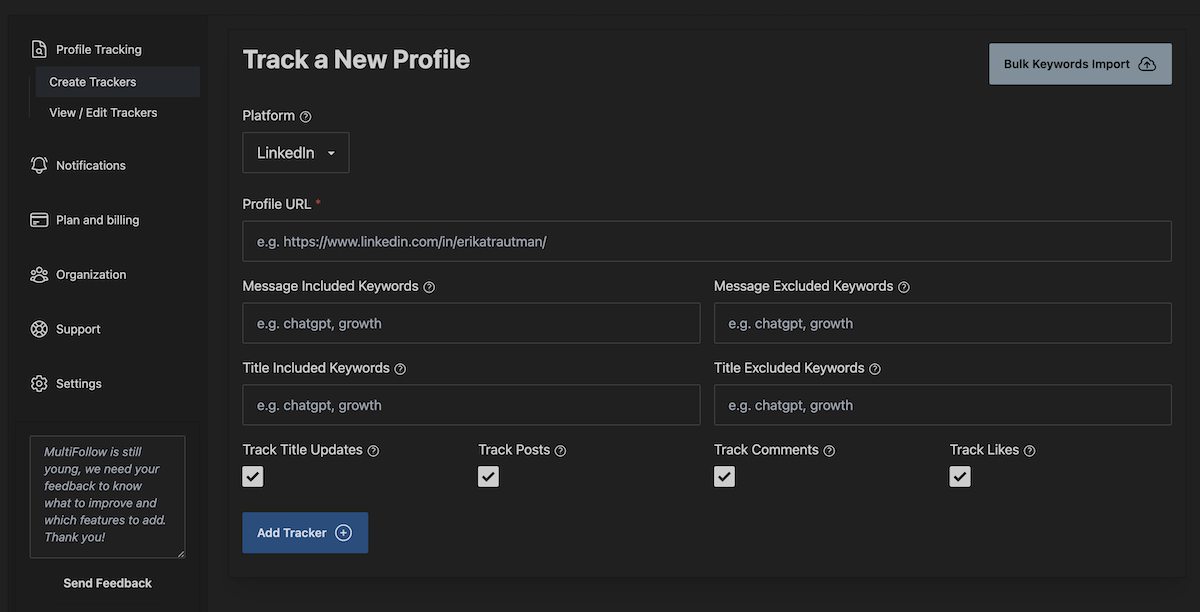
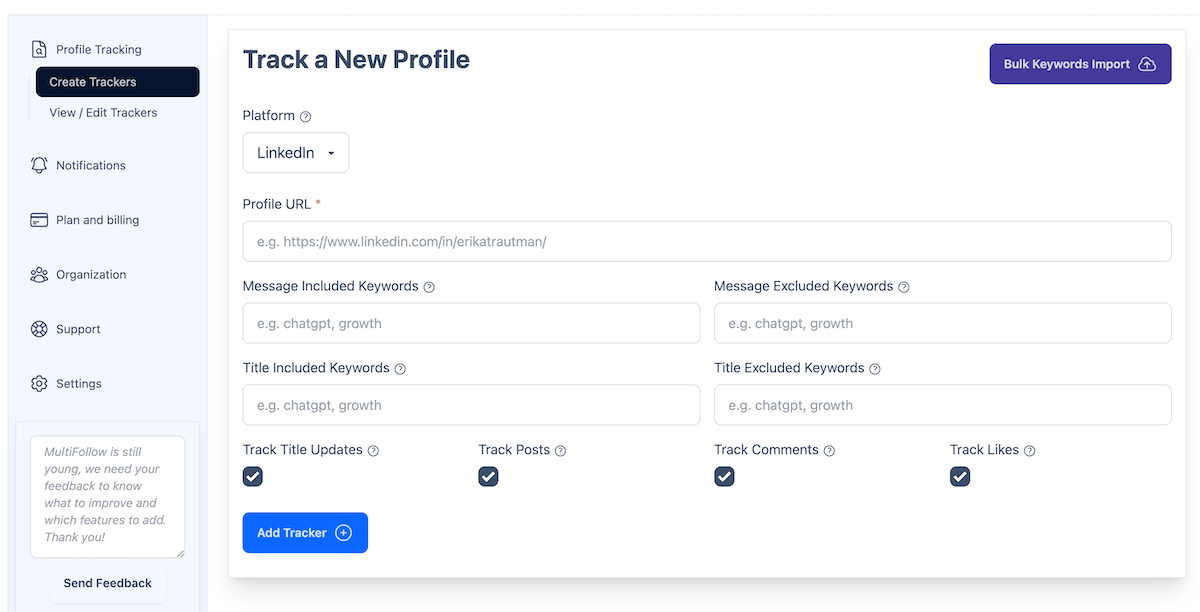
If Maya's team is on MultiFollow Business: they added Elena's Linkedin person URL as a tracker (posts, comments, likes). At 2:04pm Slack in #signals-outbound looks like this:
Linkedin · comment · Elena Voss
"We're looking at replacing our WMS before Q4. The receiving module is the deal-breaker. Anyone actually happy with theirs after go-live?"
[link to the comment]
Maya replies on the thread at 2:11pm, then sends a short InMail from Sales Navigator that quotes Elena's own sentence. Same tool for the message. Different tool for knowing the sentence existed in time.
2. Dockwise posts three times in one day. Sales Navigator will only alert on one company post
Kenji's company page posts at 9:10am ("New pricing for 2026"), 1:40pm ("Receiving module teardown"), and 5:55pm ("We're hiring 12 implementation consultants"). Linkedin documents that it will provide an alert for up to one shared post from each saved account per day. Maya can click through to the company page and read the rest. Most people do not.
On MultiFollow, a company-page tracker only covers posts (not the company's comments or likes). Each of those three posts can still produce its own email or Slack message. If Maya set include keywords pricing, launch, receiving, hiring on the Dockwise company tracker, the hiring post still comes through and the "thanks for a great Q2" fluff does not.
That is competitor intelligence, not prospecting, and it is the same watchlist product.
3. Daniel likes a labor-shortage post. The like never becomes a CRM task on Core
Daniel Okonkwo, Head of Supply Chain Systems at Harborline Retail, likes a post titled "Warehouse labor is 18% of our cost and climbing." He does not comment. A like is a weak signal, but it is a real one: he is thinking about the problem this week.
Sales Navigator's documented lead alerts do not include "saved lead liked someone else's post." MultiFollow does track Linkedin likes for person profiles. The payload's content field is empty for likes, activity_type is like, and link still points at the post. In Clay, that row can be scored low and left as account context. In Slack, Tom can decide it is not worth an InMail. The point is that the event existed in a system Tom already lives in, at 6:30pm, not as a mental note to "check Daniel's recent activity" on Friday.
4. Elena replies on X (Twitter) at 9:41pm. Sales Navigator will never see it
Elena's Linkedin is careful. Her X account is not. At 9:41pm she replies to a logistics thread:
"honestly drowning in Excel for yard management. if your WMS vendor says 'we do yards' ask them to show the Saturday shift, not the demo."
Sales Navigator cannot watch X (Twitter). Following her on X is visible, and X will not reliably notify you of replies. MultiFollow tracks posts and replies on X, not likes (X made likes private in 2024). The same Business tracker list can include her X profile URL with include keywords WMS, yard, Excel, replacing, looking. Wednesday morning Tom does not "discover" this. It was already in #signals-outbound at 9:41pm.
If the team is on Essential ($19/month), they still get the email. They do not get Slack or a Clay webhook. For one AE that can be enough. For Maya + Tom + Priya sharing one feed, it is not.
A complementary workflow: Sales Navigator finds the list, MultiFollow watches it
This is the setup we would actually run. It is not a migration.
Step 1. Build the named list in Sales Navigator (Monday morning)
Priya, the manager, runs a lead search: VP / Head / Director of Operations or Supply Chain, company headcount 200-5,000, industry logistics or wholesale, geography DACH + UK, plus whatever Boolean string they already use. She saves the search so new matches arrive in the weekly email (the a102024 loop). She and Maya save 40 people as leads, including Elena and Daniel, and save Northline, Harborline, and Dockwise as accounts.
They leave job-change toggles on. If Elena changes companies, Sales Navigator should tell them. MultiFollow will not.
They do not turn off InMail. They will need it later.
Step 2. Copy the same 40 people into a watchlist (Monday, 20 minutes)
From each Sales Navigator lead page, copy the public Linkedin URL. For company pages, copy the company URL. If someone is active on X (Twitter), add that URL too.
On Business, paste them one by one or upload a CSV (bulk import is Business+). Free is 1 Linkedin + 2 X, which is enough to prove the pipe with Elena plus her X account. Essential is 5 Linkedin + 10 X, still email-only. A 40-person Linkedin list needs more than one Business seat's 25 Linkedin trackers, or an Enterprise plan (100 Linkedin + 200 X), or an agency plan. Do not pretend otherwise: 40 named executives is already past Business's 25 Linkedin cap. Split the list (Maya's accounts vs Tom's), upgrade, or track the 25 that are actually in play this quarter.
Anonymous tracking matters here. You are not following 40 operators on Linkedin from the company account. They never see a new follower from Northstar.
Step 3. Turn on the activity types that match the job
For Elena-type prospects (person profiles): posts, comments, and likes.
For Northline / Dockwise company pages and showcase pages: posts only. We do not track company comments or likes.
For X (Twitter) person or company accounts: posts and replies, not likes.
If a tracker is too noisy, disable likes first. Likes are easy to over-alert on.
Step 4. Add keyword filters so Tuesday stays readable
Each tracker can have up to 10 include keywords and 10 exclude keywords (each keyword 2-200 characters).
On Elena and Daniel, Maya includes: WMS, warehouse, receiving, yard, labor, RFP, looking for, replace, pricing. She excludes: webinar, podcast, congrats, happy to announce.
On Dockwise, she includes: pricing, launch, partnership, hiring, receiving and excludes webinar.
Keyword filters apply to posts and comments. A like has no text, so include/exclude will not help you there. If you track likes, expect unfiltered like alerts.
Step 5. Pick delivery like infrastructure, not like a digest
Email: every plan. Fine for Maya alone, or for a pilot.
Slack: Business+. Create an incoming webhook for #signals-outbound. You can also set a per-tracker Slack URL, so Dockwise goes to #battles-dockwise and prospects stay in #signals-outbound.
API webhook: Business+. Point it at a Clay table, n8n, Zapier, Make, or any URL that accepts JSON. Per-tracker webhook URLs exist so prospect trackers and competitor trackers do not land in the same table.
A test webhook from the dashboard is worth the minute. If Clay does not show a row, fix mapping before you trust Tuesday.
Paid refresh is near real-time: typically a couple of seconds after we detect the activity, up to about a minute when things are congested. Free is best-effort. Do not pilot reply-first selling on Free and then decide "signals are slow."
Step 6. Act with Sales Navigator, not instead of it (Tuesday 2:11pm)
The Slack message is not the outreach. Maya still:
comments on Elena's Linkedin thread (public, fast)
sends an InMail from Sales Navigator that references the comment
checks TeamLink if the team is on Advanced, in case Priya can intro
logs the touch in the CRM herself, unless they have wired the webhook to create the task
If Elena had changed jobs instead of commenting, Maya would be back in Sales Navigator's alert feed, which is the correct tool for that event.
Step 7. Let Priya manage it as one feed, not three homepages
On Core, Priya cannot see Maya's Sales Navigator alerts. Each license is its own world. Shared lists exist on Advanced and Advanced Plus, but the activity still does not become a team Slack stream.
On MultiFollow Business, team management is included. Priya is in #signals-outbound. She does not need a Sales Navigator seat to know that Elena commented, though she still needs one if she wants to InMail Elena herself.
How to set this up if you already pay for Sales Navigator
1. Keep Sales Navigator. Do not cancel it for this.
2. Export or copy the public Linkedin URLs of the accounts you actually work this quarter, not the entire 10,000 saved-lead ceiling.
3. Create a MultiFollow account at
dash.multifollow.io.
No credit card for Free.
4. Add one high-value person (Elena) on Free and wait until they post or comment, so you believe the email.
5. If the motion is real, move to Essential ($19) for a tiny email-only watchlist, or Business ($79) the moment you want Slack, webhooks, CSV upload, or a shared team.
6. Add keyword include/exclude on anything that would otherwise spam you.
7. Point one webhook at Clay or n8n only after a test payload has landed.
8. Leave job-change alerts, InMail, search, and TeamLink in Sales Navigator.
Saying this clearly is more useful than a feature grid.
No job-change tracking. Sales Navigator's headline alert is one we do not offer. Do not buy MultiFollow for "Elena just became VP at a new 3PL."
No follower counts.
No engagement-audience scraping. We tell you what your tracked accounts did. We do not vacuum everyone who liked an arbitrary viral post and turn them into a lead list.
No built-in enrichment or intent scoring. Clay (or your own n8n) does that on top of our JSON.
No native HubSpot or Salesforce apps. Advanced Plus is Linkedin's answer for that. Ours is a webhook.
No Facebook, Instagram, TikTok, or YouTube.
No InMail, no Boolean people search, no TeamLink. Those stay in Sales Navigator.
Company pages are posts only. If you need comments a company left on someone else's content, we do not have that.
X (Twitter) likes are not available. They have been private since 2024.
If your motion is "mine the comment section of every industry post, score 5,000 people, listen on Reddit," we are the wrong shape. If your motion is "here are the 25 people in play, ping us when they speak," that is the product.
Frequently asked questions
Is MultiFollow a replacement for Sales Navigator?
No. Sales Navigator is the right tool for finding people on Linkedin, messaging them with InMail, using TeamLink, and getting job-change alerts on saved leads. MultiFollow does not search Linkedin, does not send InMail, and does not watch employment changes. Keep Sales Navigator for list building. Use a watchlist tool if you need activity on that list delivered outside Linkedin.
Does Sales Navigator notify me when a saved lead posts?
Sometimes, in some forms. Linkedin documents "Lead shares" (a saved lead shared their own or another person's post) and "Account shared update" (with a cap of one company post alert per saved account per day). It also emails you weekly about new people matching a saved search, which is not the same as activity from people you already saved. What it does not document as a Core/Advanced alert is "this saved lead commented on a competitor's post" or "this saved lead liked someone else's content." Do not plan a comment-first workflow on the Sales Navigator homepage.
Will the people I track know?
On MultiFollow, no. We do not follow, connect, or InMail them on your behalf, and they are not notified. On Linkedin, a normal follow is visible, which is the other reason following is a bad monitoring plan.
Which MultiFollow plan do I need if I already have Sales Navigator?
If you only want to see whether the pipe works: Free ($0, 1 Linkedin + 2 X, best-effort, email only). If one person wants a tiny near-real-time email watchlist: Essential ($19, 5 Linkedin + 10 X, still no Slack or webhooks). If the team needs Slack, Clay/n8n/Zapier/Make/CRM webhooks, CSV bulk import, or shared team access: Business ($79, 25 Linkedin + 50 X) or Enterprise ($199, 100 Linkedin + 200 X).
Can I send Sales Navigator alerts to Slack or Clay on Core or Advanced?
Not as a native webhook. CRM writeback, SNAP, and the native Salesforce/HubSpot embedded experience are Advanced Plus. Core and Advanced alerts stay in the Sales Navigator UI and in email. MultiFollow's Slack and API webhooks are a different product: they send activity we detected on the watchlist, not a clone of the Sales Navigator alert types.
Do you track job changes? An older page of yours made it sound like you do.
No. We track posts, comments, and likes (with the platform limits above). We do not monitor employment changes. If that older Linkedin explainer implied otherwise, it was wrong. Sales Navigator remains the native job-change alert for saved leads.
What about X (Twitter)? Sales Navigator does not have it.
Correct. MultiFollow tracks X posts and replies. It does not track X likes. First time you add an X URL, use the full profile link.
Can I filter so I only hear about buying language?
Yes, per tracker, with up to 10 include and 10 exclude keywords. This is how you keep a competitor company page from flooding Slack every time they post a culture video.
Try it on one saved lead this week
Pick the one person in Sales Navigator you would actually drop a meeting for this month. Put their Linkedin URL on the free plan, leave Sales Navigator running for search and InMail, and wait until they post or comment. If the email is useful, put the rest of the active list on a paid plan and send Slack or Clay the same payload.
 MultiFollow.io