Clay Templates for Sales Signals From Linkedin and X (Twitter)
Your prospect just posted. A competitor just announced new pricing. A target account just
started a hiring spree. These are sales signals, and they lose value by the hour. MultiFollow catches them on
Linkedin and X (Twitter) the second they happen and streams them straight into Clay, where you can enrich them,
score them, and turn them into outreach automatically.
This page walks you through the three Clay templates growth teams ask us for most. Each one
starts from the same MultiFollow webhook and takes about ten minutes to set up.
Why Pipe Sales Signals Into Clay?
A signal you read tomorrow is trivia. A signal your workflow acts on within minutes is
pipeline. Clay is where growth and sales ops teams already enrich leads, run AI prompts, and push rows to CRMs
and sequencers. MultiFollow is the missing input: a real-time feed of what the accounts you care about are
posting, commenting, and liking on Linkedin and X (Twitter).
You connect the two with a single webhook. No Zapier tax, no middleware, no polling. Every
signal becomes a new row in your Clay table, within seconds of the activity happening.
What MultiFollow Sends to Clay
Every time a tracked account posts, comments, or likes, MultiFollow sends a JSON encoded POST
HTTP request to your Clay webhook. Here is an example:
{
    "platform": "linkedin",
    "profile_url": "https://www.linkedin.com/in/erikatrautman/",
    "query": "URL: https://www.linkedin.com/in/erikatrautman/. Track posts. Track comments. Track likes.",
    "datetime": "2025-01-19T05:52:00Z",
    "link": "https://www.linkedin.com/posts/erikatrautman_vice-president-strategy-and-business-operations-activity-7272270503808000000-OxBb",
    "content": "I've got two more great leadership positions I'm filling! I am so inspired by the vision and the culture here at Sprout. So come join me to transform how companies leverage social media to connect with their customers.",
    "activity_type": "post"
}
Seven fields, each one useful in a Clay workflow:
platform: the network where the activity happened, linkedin or twitter.
profile_url: the tracked account that produced the signal. Use it to match
the row to a person or company in your CRM.
query: the tracker configuration in plain words: profile URL, keyword
filters, and tracked activity types.
datetime: when the activity was detected, in RFC3339 format.
link: a direct URL to the post or comment, ready to hand to a rep.
activity_type: post, comment, or like. Branch your workflow on it.
content: the full text of the post or comment, never truncated (empty for
likes). This is what you feed to your AI columns.
Connect MultiFollow to Clay in 4 Steps
Set up your webhook URL in your dashboard
1. In Clay, create a new table and choose "Import data from Webhook" as the source. Clay gives you a
unique webhook URL. Copy it.
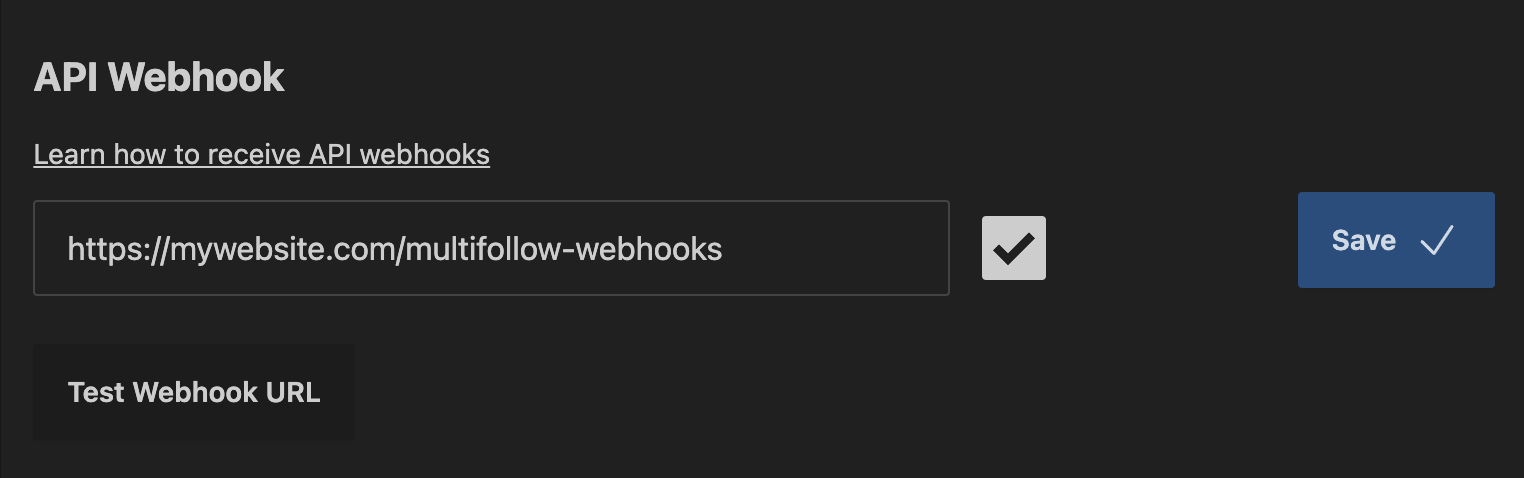
2. In your MultiFollow dashboard, open the webhook settings and paste the Clay URL.
3. Add the accounts you want to track, one by one or in bulk with a CSV. Optionally add keyword
filters so only relevant posts and comments make it through.
4. Send a test webhook from the MultiFollow dashboard and map the six fields to columns in Clay. Done:
every new signal now lands in your table within seconds.
API webhooks are included in the Business plan and above.
Tip: the webhook URL can be set per tracker, so different groups of trackers can feed
different Clay tables. Point your prospect trackers at the table of Template 1 and your competitor trackers at
the table of Template 2, and each workflow only receives its own signals.
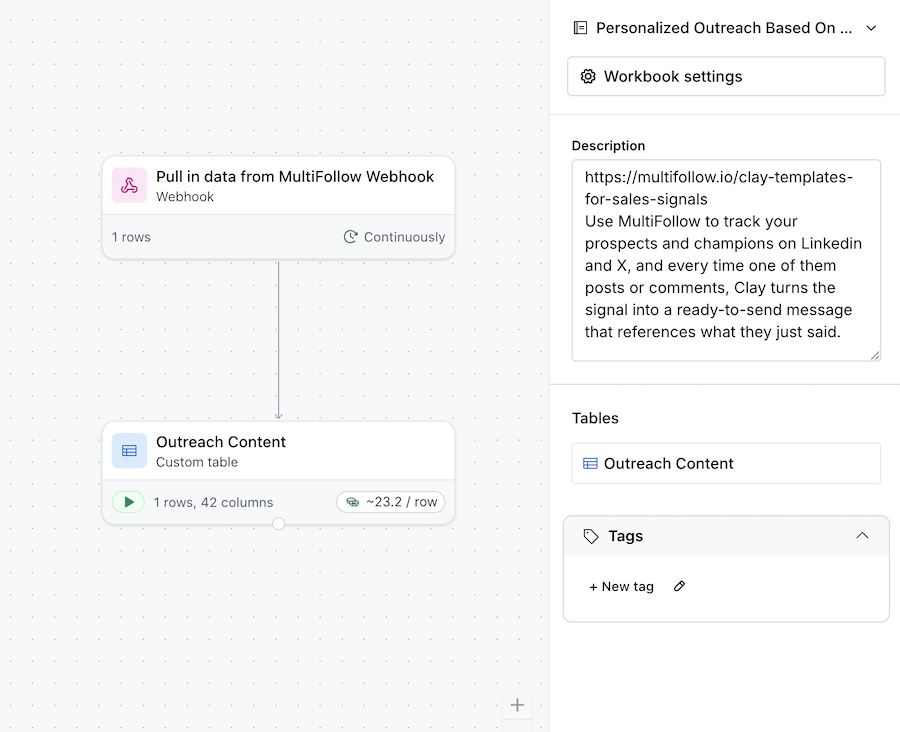
This is the workhorse of signal-based selling. Track your prospects and champions, and every
time one of them posts or comments, Clay turns the signal into a ready-to-send message that references what
they just said.
How the template works
1. MultiFollow pushes each new post or comment from your tracked prospects into the Clay table.
2. Clay enriches the poster from profile_url: work email, title, company, using your favorite
waterfall.
3. An AI column reads the content field and drafts two things: a thoughtful comment you could leave on
the post, and an email or DM opener that references it.
4. A final step routes the draft: push it to your sequencer (Instantly, Smartlead, lemlist), create a
task in HubSpot or Salesforce, or post it to a Slack channel for the rep to review and send.
Filter on activity_type equals post if you only want original content, or include comments to
catch prospects while they are active in other people's threads.
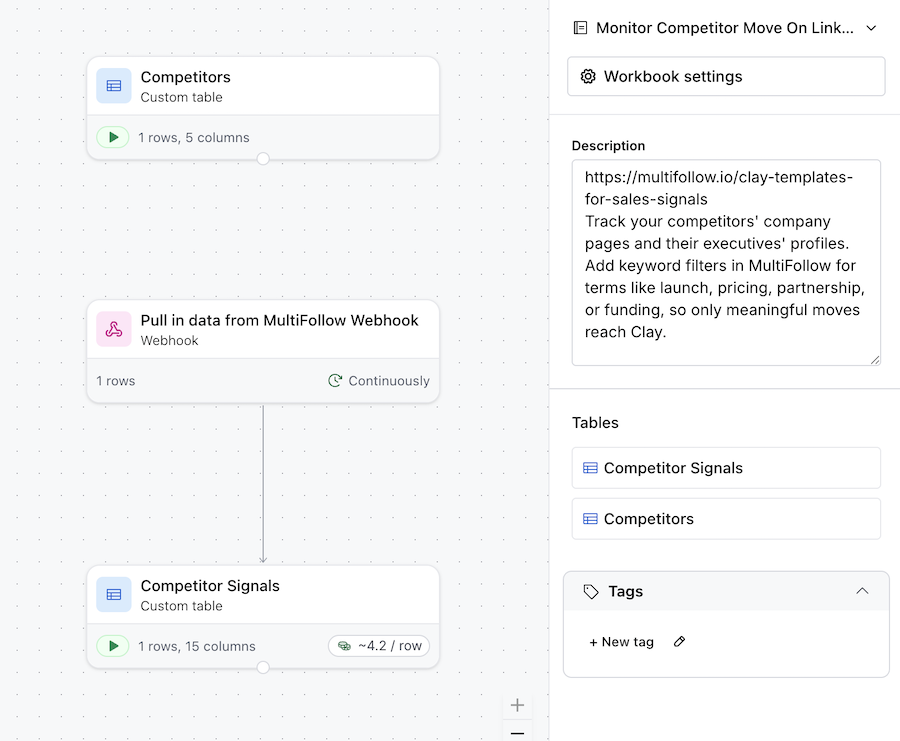
Track your competitors' company pages and their executives' profiles. Add keyword filters in
MultiFollow for terms like launch, pricing, partnership, or funding, so only meaningful moves reach Clay.
How the template works
1. A competitor announcement lands in the Clay table with its full text in the content field.
2. An AI column classifies the move (product launch, pricing change, partnership, hiring) and
summarizes it in two sentences.
3. A CRM lookup finds your open opportunities that compete against that vendor.
4. Clay posts an alert to Slack that tags the deal owners and includes the summary, the link to the
original post, and suggested talking points.
Your team hears about competitor moves from your own pipeline alerts, not from a prospect
quoting the announcement back to them a week later.
Template 3: Keyword Buying Signals, Scored Lead List
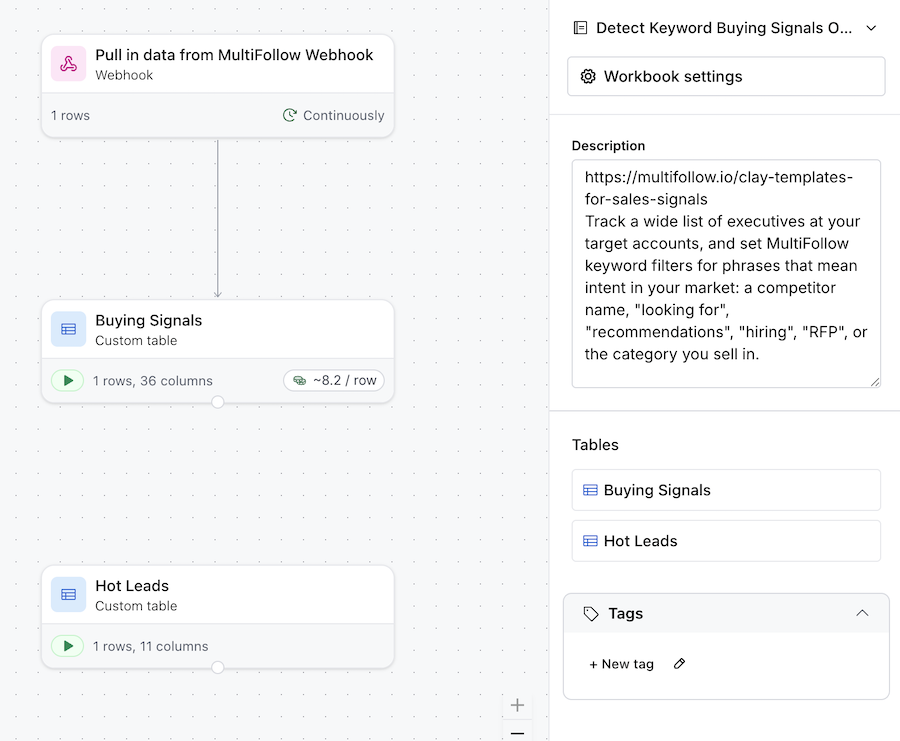
Track a wide list of executives at your target accounts, and set MultiFollow keyword filters
for phrases that mean intent in your market: a competitor name, "looking for", "recommendations", "hiring",
"RFP", or the category you sell in.
How the template works
1. Only posts and comments matching your keywords arrive in the Clay table, already pre-filtered at
the source.
2. An AI column scores each signal from 1 to 10 for buying intent, based on the content field and
your product description.
3. Rows scoring high get enriched (email, title, company data) and appended to your outreach table or
pushed to your CRM as a task with the signal attached.
4. Low scores stay in the table as account context your reps can check before any call.
The result is a self-refreshing list of warm leads, ranked by how loudly they are signaling,
with the evidence attached to every row.
All three templates are ready to duplicate in Clay with one click: pick the workflow you need,
plug in your MultiFollow webhook, and your first signal lands within seconds. Want help wiring things up? Email
us and we will set you up, usually the same day.
Do I need Zapier or n8n between MultiFollow and
Clay?
No. MultiFollow posts JSON directly to the webhook URL that Clay generates for your table,
so there is nothing in between. If you prefer to orchestrate signals with n8n or Zapier for
other destinations, that works too.
See
our n8n and Zapier guide.
Which MultiFollow plan do I need?
API webhooks are included in the Business plan and above. Lower plans deliver signals by
email, which is great for a single rep but not for automation.
How fresh are the signals when they reach Clay?
On paid plans, accounts are monitored in near real-time. You can expect a signal to land
in your Clay table within a couple of seconds of the activity being detected, and up to a
minute in case of temporary congestion.
Can I filter signals before they reach Clay?
Yes. Each tracker can carry keyword filters, so only posts and comments containing the
terms you chose are sent. You can then filter further in Clay on activity_type, platform, or
anything an AI column extracts from the content.
How many accounts can I track?
Up to 100 Linkedin profiles and 200 X (Twitter) profiles on the Enterprise plan, and
custom volumes on agency plans. You can import your list in bulk with a CSV.
Are the Clay templates free?
Yes, the templates are free. You need a Clay account to use them and a MultiFollow plan
with API webhooks to feed them.
 MultiFollow.io