How to Filter Linkedin and X Watchlist Alerts with Include and Exclude Keywords
A named Linkedin or X watchlist is only useful if Tuesday stays readable. Without filters, every webinar shout, congrats comment, and random like lands in the same inbox or Slack channel as the buying-intent post you actually wanted.
We build MultiFollow, so here is the honest product shape. MultiFollow is anonymous Linkedin and X (Twitter) account activity tracking. You paste profile URLs (or CSV-import on Business+), pick posts, comments, and (on Linkedin people) likes, and we fire when those accounts move. Include and exclude keywords sit on each tracker so you keep the signal and drop the noise before email, Slack, or a webhook sees it.
Prospects (Linkedin people): posts + comments. Add likes only if you accept noisier Slack and know keywords will not filter them.
Competitor company pages: posts only.
X accounts: posts + replies.
If the goal is buying-intent language, start without likes. Turn likes on later only for a short VIP list.
Step 3. Add include keywords
Include is your allowlist. Use it when you only care about a narrow set of topics.
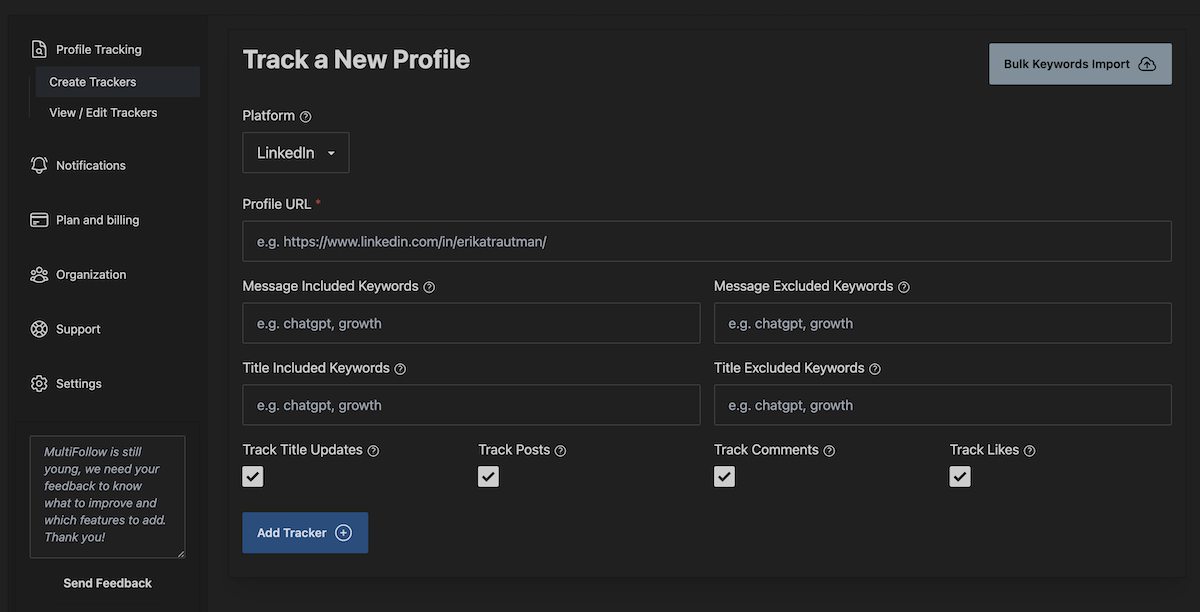
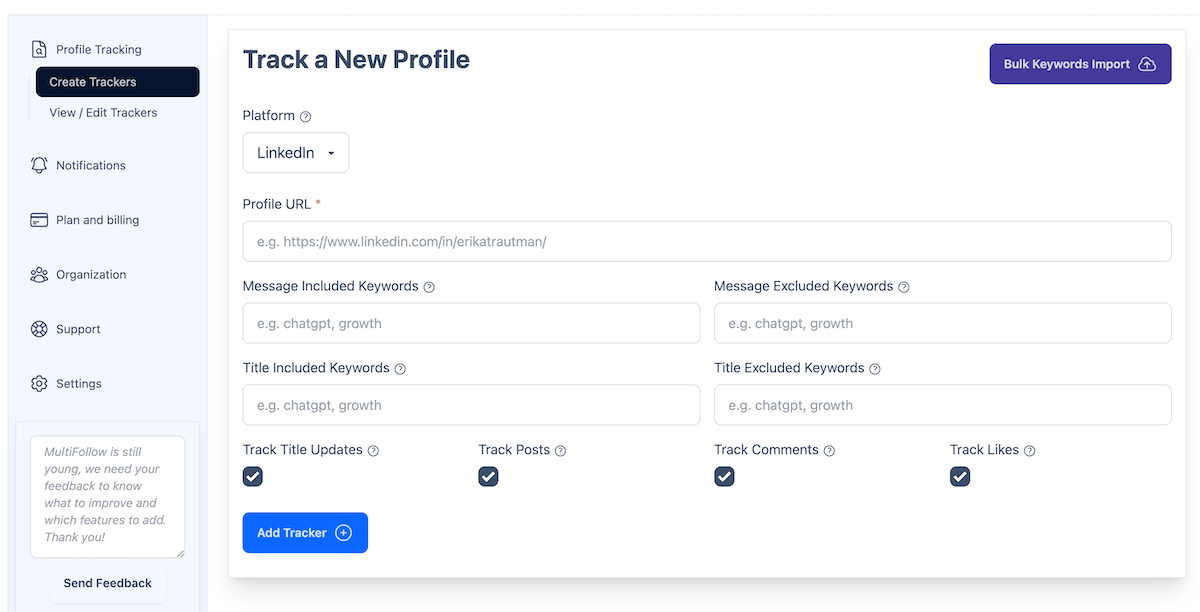
1. In the tracker form, find Included Keywords.
2. Enter a comma-separated list (max 10). Examples: hiring, pricing, RFP, budget, demo, competitor name.
3. Keep each keyword between 2 and 200 characters. Prefer short stems you actually see in posts over long phrases that almost never match.
4. Save the tracker. The next matching post or comment will fire. Non-matching text is dropped before delivery.
Tip: start with 3-5 includes you already see in real threads. You can widen later. An empty include list means all posts/comments pass (then exclude still applies).
Step 4. Add exclude keywords
Exclude is your blocklist. Use it to kill recurring noise even when include is empty or broad.
1. Find Excluded Keywords on the same tracker.
2. Enter a comma-separated list (max 10). Examples: webinar, congrats, newsletter, podcast, giveaway.
3. Save. If a post or comment hits any exclude keyword, MultiFollow suppresses the alert.
4. Revisit weekly. When a new noise pattern shows up three times, add one exclude and move on.
Exclude wins over include. A post that matches both is dropped.
Step 5. Choose delivery and verify
Filters run before delivery. Cleaner keywords mean cleaner email, Slack, and webhooks.
Email: available on Free and Essential (and every higher plan). Fine for a solo pilot.
Slack incoming webhook and API webhooks: Business and above. Use per-tracker Slack or API webhook URLs when different lists should land in different channels or Clay tables.
2. Wait for a real matching post or comment, or adjust keywords after you see the first false positive.
3. Confirm the alert text in email (or Slack/webhook on Business+) matches what you intended.
4. If likes still flood the channel, disable likes on that tracker. Keywords cannot help.
Example setups
Prospect buying-intent (Linkedin person)
Activities: posts + comments (likes off).
Include: pricing, RFP, budget, demo, evaluating
Exclude: webinar, congrats, newsletter
Delivery: Slack #signals-outbound on Business+, or email while you pilot on Free/Essential.
Competitor company page
Activities: posts only.
Include: product name stems, launch, pricing, partnership
Exclude: hiring, webinar, podcast, career
Delivery: separate Slack channel or Clay table via per-tracker webhook URL.
X thought-leader replies
Activities: posts + replies.
Include: your category keywords or competitor handles as plain text.
Exclude: giveaway, newsletter, meme-adjacent noise you keep seeing.
Delivery: same as Linkedin. Filters behave the same on text.
Tune per tracker. Do not paste one giant global list across 50 profiles unless the job is truly identical.
Plans that unlock this how-to
Keyword include/exclude is available on every plan that can create trackers. Slack and API webhooks need Business or above. Verify live on multifollow.io before you buy. Plans are prorated.
Plan
Price
Linkedin + X trackers
Slack / API webhooks
Free
$0
1 + 2
No (email, best-effort)
Essential
$19/mo
5 + 10
No (near real-time email)
Business
$79/mo
25 + 50
Yes (+ REST API, MCP, bulk CSV, team)
Enterprise
$199/mo
100 + 200
Yes (+ advanced support)
Agency
Custom
Multi-client
Yes
Frequently asked questions
Do include and exclude keywords apply to likes?
No. Likes have no text. Keywords only filter posts and comments. Disable likes on the tracker if reaction noise is the problem.
How many keywords can I add?
Up to 10 include and 10 exclude per tracker. Each keyword must be 2-200 characters. Separate them with commas.
Can different trackers use different keyword lists?
Yes. Filters are per tracker. Point noisy competitors at a strict exclude list and VIP prospects at a tight include list.
Which plan do I need for keyword filters vs Slack?
Keyword filters work wherever you can create trackers, including Free and Essential (email delivery). Slack and API webhooks need Business or above.
What if I want keyword listening across Reddit or the open web, not a named watchlist?
Different job. KWatch.io is our keyword-listening sibling across Linkedin, X, Facebook, Reddit, Youtube, and Hacker News. MultiFollow stays a named Linkedin/X activity watchlist.
Will people know I am filtering their activity?
No. MultiFollow does not follow or connect on your behalf. They are not notified. Filters only change what you receive.
Create a free account, paste one prospect URL, add a short include list, and prove the email stays quiet except for the posts you care about. When the team needs the same filtered signal in Slack or Clay, move to Business and paste the webhook.
 MultiFollow.io