Trigify Alternatives: Sales Signal Tools Compared (2026)
Signal-based selling has a simple promise: reach out when something just happened, instead of
cold. Trigify helped popularize the category, and it is a genuinely capable product. But if you are reading
this, something about it does not fit: the credit budgeting, the refresh schedules, or simply paying for a
platform when all you want is to know the moment specific people post.
Full disclosure before we start: we build MultiFollow, one of the tools below. This comparison
stays useful only if it is honest, so for every tool, including ours, we will tell you when it is the right
pick and when it is not.
Why Teams Look for a Trigify Alternative
Trigify has grown from a Linkedin engagement tracker into a broad signal intelligence
platform: 11+ platforms monitored, built-in enrichment, intent scoring, and AI workflows. That breadth is
impressive, and it is also why people end up here. The common reasons, from conversations with teams who made
the switch:
Credit math. Signals, enrichment, engagement capture, and AI runs all draw from one
credit pool, so predicting your monthly bill takes a spreadsheet. The Starter plan at $40/month includes
4,000 credits and 50 tracked profiles; real coverage usually means the $199/month Max plan, and overages
are billed per credit.
Freshness. Trigify profile monitors run on a schedule, from every 12 hours to monthly
depending on configuration. That is fine for building weekly lists. It is too slow for reply-first
selling, where the value of a post decays in hours.
Breadth you may not need. If your motion is "watch these 80 prospects and these 5
competitors, ping me the moment they post", you do not need Reddit monitoring, podcast tracking, or a
built-in enrichment waterfall you already pay Clay for.
None of these make Trigify a bad product. They make it the wrong shape for some teams. Here
is what to compare, and the four tools people actually weigh against it.
What to Compare in a Sales Signal Tool
Signal freshness: does a signal reach you in seconds, or on the next scheduled crawl?
Signal types: posts and comments by people you track, job changes, engagement audiences,
keyword mentions? These are different products wearing the same "signals" label.
Platform coverage: Linkedin only, Linkedin plus X (Twitter), or the whole social web?
Delivery: can signals leave the tool as email, Slack messages, and webhooks your stack
can consume, or do they live in a dashboard?
Pricing model: flat monthly plans you can predict, credits you have to budget, or an
annual enterprise contract?
MultiFollow: Real-Time Signals From the Accounts You Choose
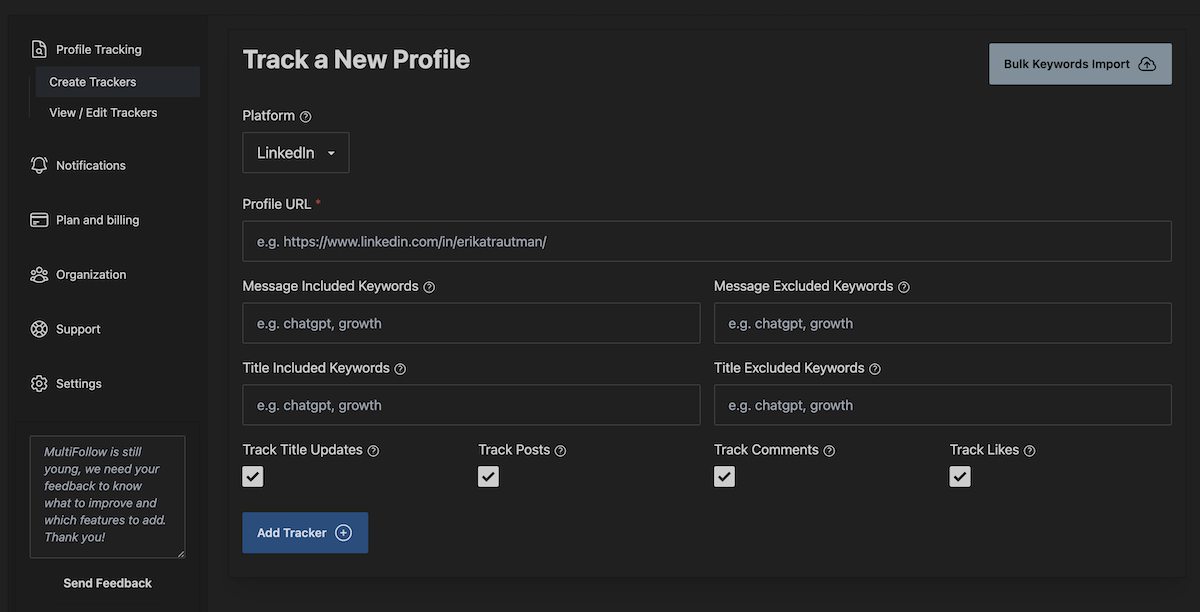
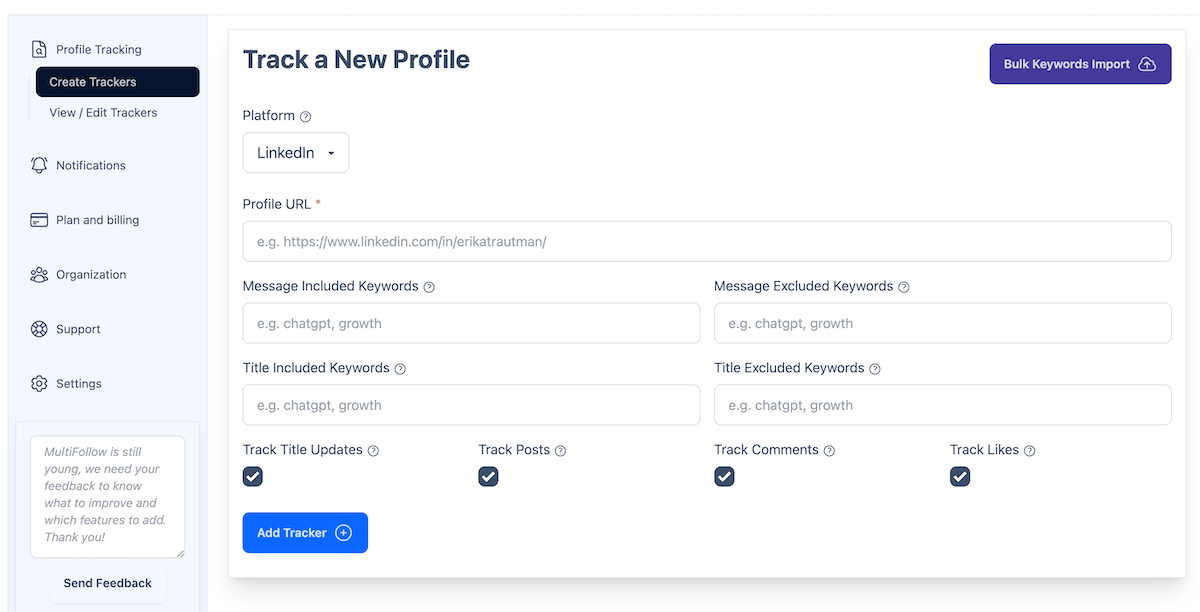
That is us. MultiFollow does one thing and does it in real time: you give it a list of
Linkedin and X (Twitter) accounts, prospects, champions, competitors, and it notifies you within seconds when
one of them posts, comments, or likes. Tracking is anonymous, the tracked accounts are never notified, and no
connection request is needed.
Each tracker can carry keyword filters, so a competitor tracker only fires on words like
"pricing" or "launch", and each tracker can deliver to its own destination: email, Slack, or an API webhook
pointed at Clay, n8n, Zapier, or your own backend. That per-tracker routing is how teams send prospect signals
to an outreach table and competitor signals to a battlecard channel, from one account.
Pricing is flat, no credits: a free plan (1 Linkedin and 2 X accounts), Essential at $19/month
(5 and 10), Business at $79/month (25 and 50, and this is where API webhooks start), and Enterprise at
$199/month (100 and 200), with custom volumes on agency plans. You can import your account list in bulk with a
CSV.
When MultiFollow is not the right pick, and we mean it:
No engagement-audience scraping. We tell you what your tracked accounts do, not who
liked or commented on an arbitrary viral post. That audience-building use case is Trigify's home turf.
No job-change tracking and no built-in enrichment. We pair with Clay for enrichment
rather than rebuilding it.
Linkedin and X (Twitter) only. For Linkedin company pages, posts are tracked (not
comments or likes), and on X we track posts and comments. If you need Reddit or YouTube signals, look at
Trigify.
Trigify is the category heavyweight. It monitors 11+ platforms (Linkedin, X, Reddit, YouTube,
podcasts, developer forums), captures who engages with posts, runs boolean listening searches, tracks 16+ ABM
signal types like role changes, hiring, and funding, and layers enrichment, intent scoring, and an AI
assistant on top. Signals route to your CRM, Slack, or sequencer through built-in workflows.
Pick Trigify if your play is audience intelligence: scraping the engagement of industry
posts, mining conversations across the social web, and scoring intent at scale. It is priced accordingly:
$40/month Starter (4,000 credits, 50 profiles, 25 listening searches, 7-day history), $199/month Max (40,000
credits, 5,000 profiles), custom Enterprise, with credits as the unit you manage.
Skip it if you just need a defined watchlist tracked in real time and delivered as clean
webhooks. You would be paying for breadth you do not use, and waiting on refresh schedules for signals that
deserve a reply within the hour.
UserGems: Job Changes and Champion Tracking
UserGems answers one high-value question: which of my customers and champions just changed
jobs, and which new decision makers landed at my accounts? It watches your CRM contacts, surfaces job changes
on a monthly scan cycle, and its AI agent turns them into plays. For companies with a large customer base,
champion-led pipeline is real money.
It is an enterprise product with enterprise pricing: published plans start at $2,750/month
billed annually (about $33,000/year) plus an implementation fee. Pick UserGems if job-change pipeline can
plausibly return that, typically 20+ reps and thousands of CRM contacts. Skip it if you are looking for
post-level activity signals or anything self-serve; it does not track what people say on social, only where
they work.
Clay: The Workbench Your Signals Flow Into
Clay shows up in every "signal tools" conversation, but it plays a different position: it is
not a monitoring tool you point at a watchlist, it is the workbench where signals get enriched, scored,
drafted into messages, and routed to your CRM or sequencer. Its native signals lean on data partners (job
changes, funding, hiring), not on real-time social activity.
In practice Clay is not an either/or against Trigify or MultiFollow, it is the destination
both feed. There is a free tier, and paid plans start at $167/month (Launch) and $446/month (Growth), billed
in credits and actions. If you already run Clay, the cheapest way to add real-time social signals to it is a
webhook source.
The incumbent option: around $100 per seat per month buys advanced search, saved lead lists,
and alerts when saved leads post or change jobs. If your reps live inside Linkedin all day and nobody wants to
automate anything, it may be enough.
Its limits are structural. Alerts stay inside the Linkedin UI, there are no webhooks and no
clean export, so signals cannot feed Clay, Slack, or your CRM. Coverage is Linkedin only, alerts are per-seat
rather than shared by the team, and the feed mixes real signals with algorithmic suggestions. Sales Navigator
is where signals get seen; it is not infrastructure you can build on.
Side-by-Side Comparison
Tool
Best for
Platforms
Signal freshness
Delivery
Pricing
MultiFollow
Real-time tracking of a chosen account list
Linkedin + X (Twitter)
Seconds
Email, Slack, API webhooks (per tracker)
Flat: free to $199/mo
Trigify
Engagement scraping and listening at scale
11+ (Linkedin, X, Reddit, YouTube...)
Scheduled: 12 hours to monthly
CRM, Slack, sequencers, API
Credits: $40 to $199+/mo
UserGems
Job changes and champion tracking
Linkedin data + your CRM
Monthly scans
CRM, sequencers, Slack
From ~$33k/year
Clay
Enriching, scoring, and routing signals
Via integrations and webhooks
Depends on the source feeding it
CRM, sequencers, anywhere
Free tier; credits from $167/mo
Sales Navigator
Reps working manually inside Linkedin
Linkedin only
In-app alerts
Linkedin UI only, no webhooks
~$100/seat/mo
Competitor features and prices as published in July 2026; check their
pricing pages for current numbers.
Which Sales Signal Tool Should You Pick?
You know exactly which accounts matter and want to be first to reply when they post:
MultiFollow.
You want to mine engagement audiences and listen across the whole social web, with
enrichment and scoring built in: Trigify.
Your pipeline math runs on customer job changes and you have the contract budget:
UserGems.
You need the workbench that turns any signal into enriched, personalized outreach: Clay,
fed by one of the above.
Your reps work Linkedin manually and automation is not on the roadmap: Sales Navigator.
These stack more often than they compete. A setup we see a lot: MultiFollow watching named
prospects and competitors in real time, feeding a Clay table that enriches and drafts, with Trigify or
UserGems layered on when engagement mining or job changes justify it.
Set Up a Real-Time Signal Feed in Minutes
If the watchlist approach fits your motion, you can have it running today:
1. Create a MultiFollow account and add your prospects and competitors, one by one or with a CSV
import.
2. Add keyword filters where you only want specific topics, like a competitor tracker that fires on
"pricing", "launch", or "partnership".
3. Choose delivery per tracker: email, Slack, or an API webhook.
4. Point webhooks at Clay, n8n, Zapier, or your own stack, and turn signals into outreach
automatically.
No, and we would rather tell you that upfront. The tools overlap on tracking what
specific accounts post, where MultiFollow is faster (seconds versus scheduled refreshes) and
much cheaper. But Trigify also scrapes engagement audiences, listens across 11+ platforms, and
bundles enrichment and intent scoring. If those are core to your motion, stay with Trigify.
Does MultiFollow track job changes like UserGems?
No. MultiFollow tracks what accounts do on Linkedin and X (Twitter): posts, comments, and
likes. It does not monitor employment changes or follower counts. If job-change pipeline is
your main play, UserGems is the specialist.
Can I use MultiFollow and Trigify together?
Yes, and some teams do: Trigify for broad listening and engagement mining, MultiFollow
for the named accounts where minutes matter. Both can feed the same Clay workspace, so the
downstream enrichment and outreach workflows are shared.
How fast do MultiFollow signals arrive?
On paid plans, accounts are monitored in near real-time: a signal typically lands in your
email, Slack, or webhook destination within a couple of seconds of being detected, and up to a
minute in case of temporary congestion.
Do I need Zapier or n8n to connect MultiFollow to
my stack?
No. MultiFollow posts JSON directly to any webhook URL, so it plugs straight into Clay,
n8n, Zapier, or your own backend. API webhooks are included in the Business plan ($79/month)
and above; lower plans deliver signals by email.
See
the webhook documentation.
Will the people I track know?
No. Tracking is anonymous: MultiFollow does not connect with, follow, or interact with
the accounts you monitor, and they are never notified.
 MultiFollow.io